---
title: "How to add Custom CSS Classes and HTML IDs to Kadence Blocks"
source: "https://docs.nexcess.com/software/kadence/add-classes-and-ids-to-blocks/"
description: "When using Kadence Blocks, you might want to add more advanced customization to your blocks. This can include things like adding custom CSS, custom code, or usi…"
vertical: "Software"
area: "Kadence"
date: "2025-07-28"
last_modified: "2026-07-02"
---
# How to add Custom CSS Classes and HTML IDs to Kadence Blocks
When using **Kadence** **Blocks**, you might want to add more advanced customization to your blocks. This can include things like adding custom CSS, custom code, or using anchor links. That’s where the Kadence Advanced Block Settings come in.
Most Kadence Blocks let you add **Custom CSS Classes** and/or **HTML Anchors**, so you can easily style them, add functionality to them, or use anchor links to link to specific sections on your page. To access these settings, just select the block, open the **Block Settings** panel, go to the **Advanced** tab, and expand the ***Advanced** block settings.*
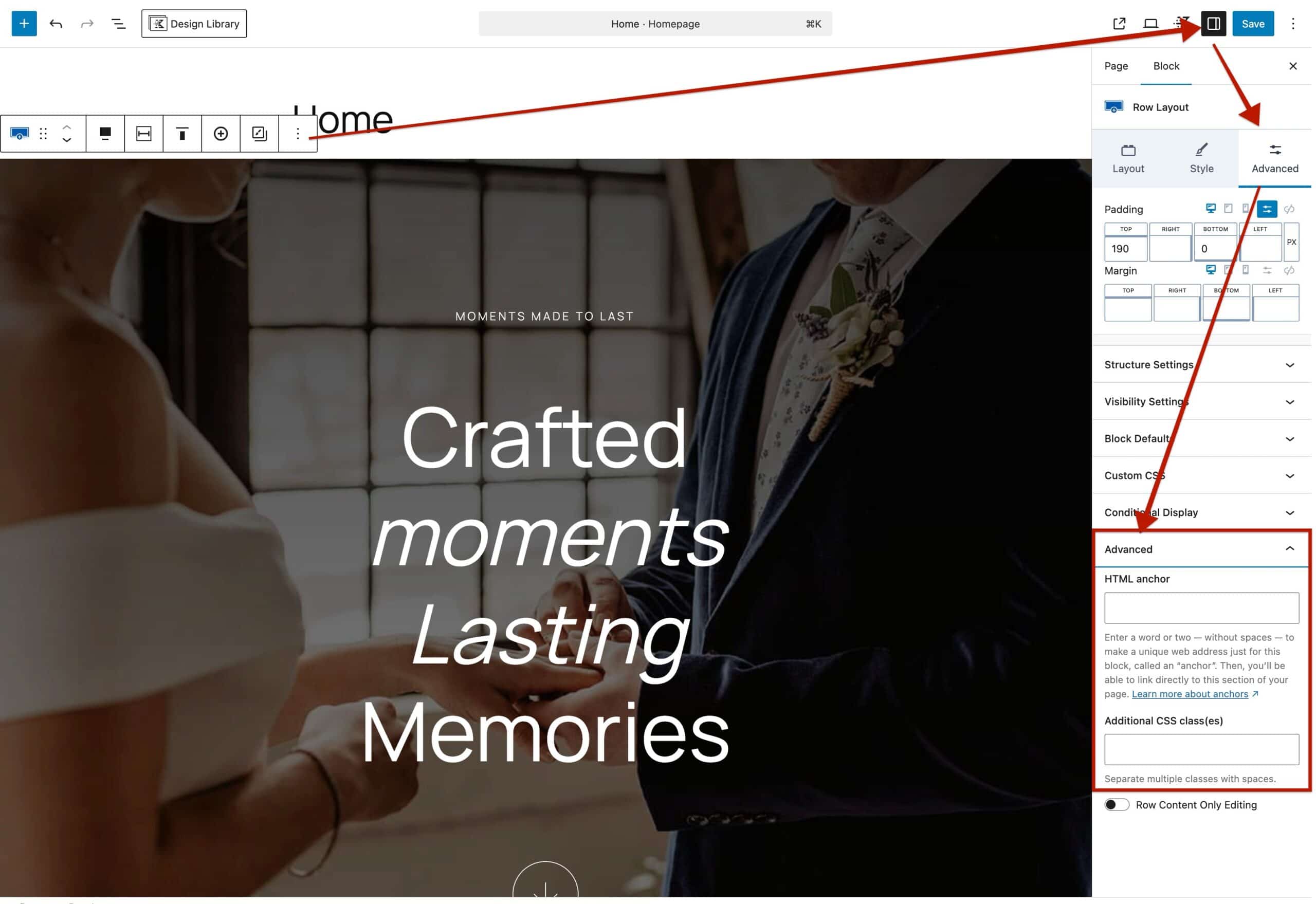
Here, you can add *HTML Anchors* or *Additional CSS Class(es)* using the available settings. Add multiple Classes or Anchors by separating them with a space.
In return, the *Custom CSS Class(es)* and *Anchor ID(s)*, will appear on the front-end code. For example, notice the **Custom CSS Class** and **ID** named custom below.
