---
title: "How to Add Custom Fields to Order Emails"
source: "https://docs.nexcess.com/software/kadence/iconic/woocommerce-custom-field-variations/how-to-add-custom-fields-to-email/"
description: "By default custom fields don't appear in invoices that are sent to customers. If you want the custom fields to appear beneath each variation product on the invo…"
vertical: "Software"
area: "Custom Field Variations"
date: "2021-05-31"
last_modified: "2026-07-02"
---
# How to Add Custom Fields to Order Emails
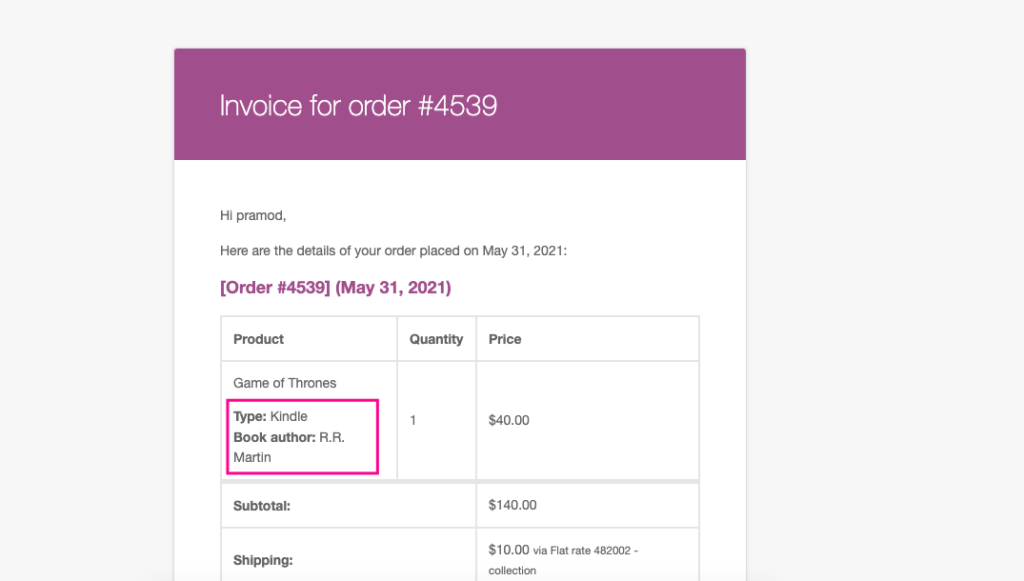
By default custom fields don’t appear in invoices that are sent to customers. If you want the custom fields to appear beneath each variation product on the invoice, you can add this code snippet to the functions.php of the child theme or [Code Snippet](https://wordpress.org/plugins/code-snippets/) plugin.
```
/**
* Iconic Custom Fields for Variations: Add custom fields data to email.
*
* @param int $item_id
* @param WC_Order_Item_Product $item
* @param WC_Order $order
* @param bool $plain_text
*
* @return void
*/
function iconic_cffv_add_feilds_data_to_emails( $item_id, $item, $order, $plain_text ) {
$product = $item->get_product();
$product_type = $product->get_type();
if ( 'variation' !== $product_type ) {
return;
}
$parent_id = $product->get_parent_id();
$variation_id = $product->get_id();
$custom_fields_data = Iconic_CFFV_Fields::get_product_fields_data( $variation_id );
foreach ( $custom_fields_data as $data ) {
if ( is_array( $data['value'] ) ) {
$data['value'] = implode( ', ', $data['value'] );
}
printf( '%s: %s
', wp_kses_post( $data['data']['label'] ), wp_kses_post( $data['value'] ) );
}
}
add_action( 'woocommerce_order_item_meta_end', 'iconic_cffv_add_feilds_data_to_emails', 10, 4 );
```