

MemberDash
Invitation Codes
Note: To view a list of all available add-ons and enable the ones you want, navigate to MemberDash > Modules
If you enable Invitation Codes, you should notice a new option in your admin menu under MemberDash called Invitation Codes.
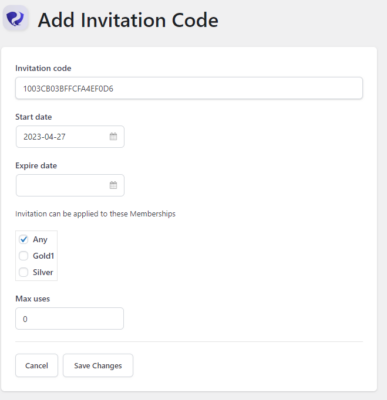
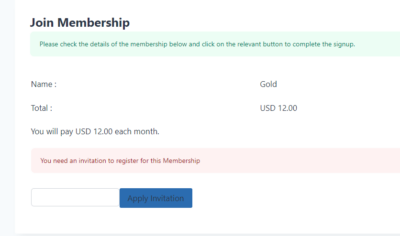
If you click on Invitation Codes, you’ll have the opportunity to create a unique code and assign it to a Membership. If you do this, users will be asked to input the invitation code during the purchase process and will not be able to purchase without it.
Was this page helpful?
Thanks for the feedback!