

Custom Field Variations
How to Add Custom Fields to Order Emails
Coming soon: Iconic Custom Fields for Variations is becoming part of Kadence Shop Kit. You may see both names used while we update the product, documentation, and customer experience.
By default custom fields don’t appear in invoices that are sent to customers. If you want the custom fields to appear beneath each variation product on the invoice, you can add this code snippet to the functions.php of the child theme or Code Snippet plugin.
/**
 * Iconic Custom Fields for Variations: Add custom fields data to email.
 *
 * @param int                   $item_id
 * @param WC_Order_Item_Product $item
 * @param WC_Order              $order
 * @param bool                  $plain_text
 *
 * @return void
 */
function iconic_cffv_add_feilds_data_to_emails( $item_id, $item, $order, $plain_text ) {
	$product      = $item->get_product();
	$product_type = $product->get_type();

	if ( 'variation' !== $product_type ) {
		return;
	}

	$parent_id    = $product->get_parent_id();
	$variation_id = $product->get_id();

	$custom_fields_data = Iconic_CFFV_Fields::get_product_fields_data( $variation_id );

	foreach ( $custom_fields_data as $data ) {
		if ( is_array( $data['value'] ) ) {
			$data['value'] = implode( ', ', $data['value'] );
		}

		printf( '<strong>%s</strong>: %s <br>', wp_kses_post( $data['data']['label'] ), wp_kses_post( $data['value'] ) );
	}
}
add_action( 'woocommerce_order_item_meta_end', 'iconic_cffv_add_feilds_data_to_emails', 10, 4 );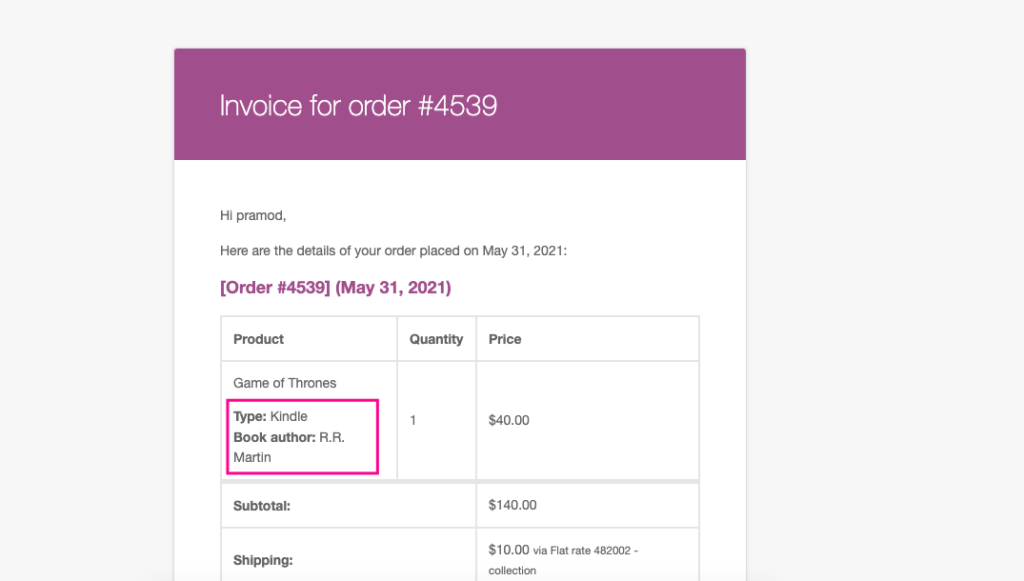
Filed under
Uncategorized
Was this page helpful?
Thanks for the feedback!