

Wishlists
How to Manage All Wishlists
Coming soon: Iconic Wishlists is becoming part of Kadence Shop Kit. You may see both names used while we update the product, documentation, and customer experience.
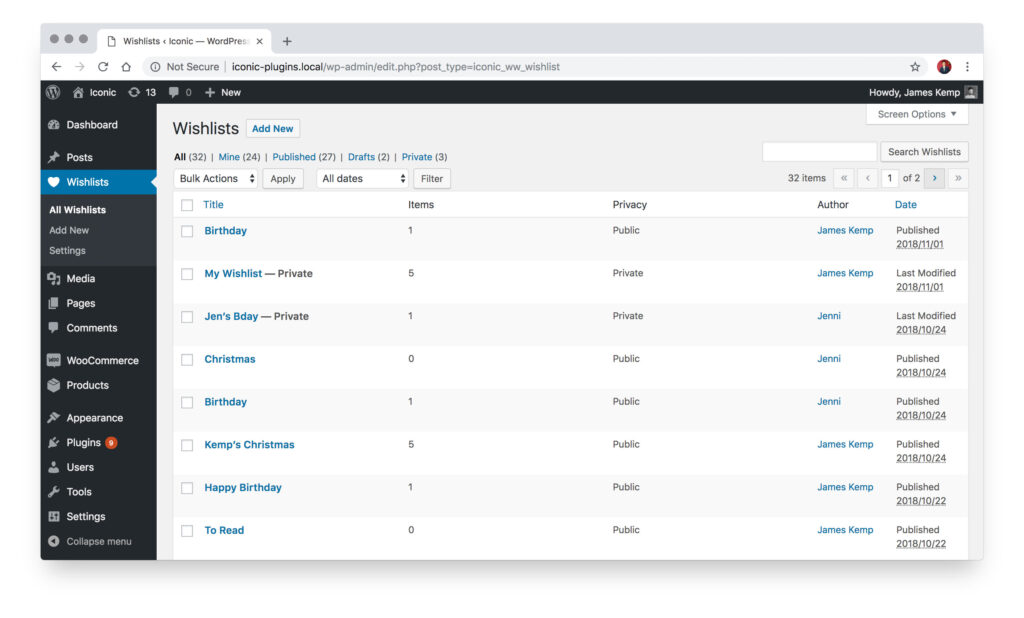
All Wishlists created with Wishlists for WooCommerce can be seen by an admin user via the WordPress admin area.
To manage all the wishlists on your site, take the following steps:
- Log in to your WordPress admin area.
- Go to Wishlists > All Wishlists.
From here you’ll be able to see all the Wishlists available on your WooCommerce store. These are managed as posts, so you can do all the usual actions: delete, rename, assign to another user, etc.
Filed under
Uncategorized
Was this page helpful?
Thanks for the feedback!