

Ratings, Reviews & Feedback
Introducing Ratings, Reviews, and Feedback in LearnDash
The Ratings, Reviews, and Feedback Add-on gives you full control over the display of ratings and reviews and helps you make your courses better with student feedback.
By connecting student feedback directly with your course presentation, this add-on provides a dual approach: public social proof to drive enrollments and private communication channels to help instructors refine their learning content.
Why Use Ratings, Reviews, and Feedback?
- Solve This Common Problem: Prospective students often hesitate to enroll without seeing authentic peer validation, while instructors struggle to collect actionable suggestions. This add-on provides structured ratings, public reviews, and automated prompt emails to consistently collect valuable student sentiment.
- Increase Engagement and Conversions: Displaying average star ratings and student reviews directly on course pages builds immediate credibility, reassuring prospective learners and driving higher enrollment rates across your catalog.
- Unlock New Possibilities: Maintain two separate communication streams: a public review section for social proof and a private feedback channel where students can communicate directly with the course author without publishing critique to the frontend.
- Save Time and Effort: Automate review collection with triggered prompt emails and follow-up reminders post-course completion, while managing quality from a centralized moderation table.
Common Use Cases
Use Case 1: Showcase Social Proof on Course Pages
Scenario: You want prospective learners to see authentic ratings and testimonials directly beneath your course syllabus.
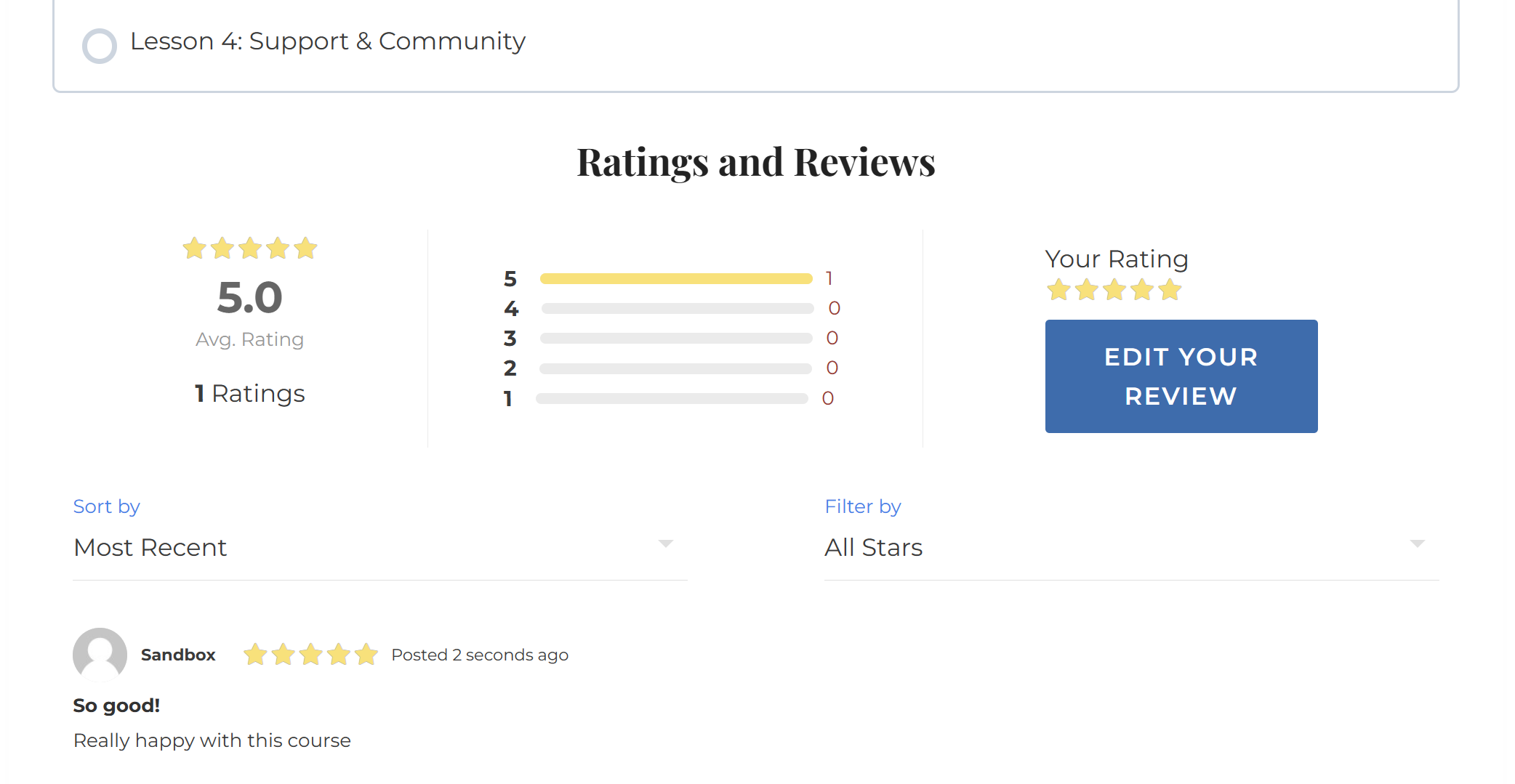
Solution: Once reviews have been enabled for a course a review section is shown below the course content replacing the comments area. Here the user can check the most popular reviews, average ratings and post a review by clicking on a Write a review button.
Use Case 2: Encourage Quick Engagement with Frontend Rating Popups
Scenario: You want a lightweight, interactive method for enrolled students to score your course without navigating away from the page.
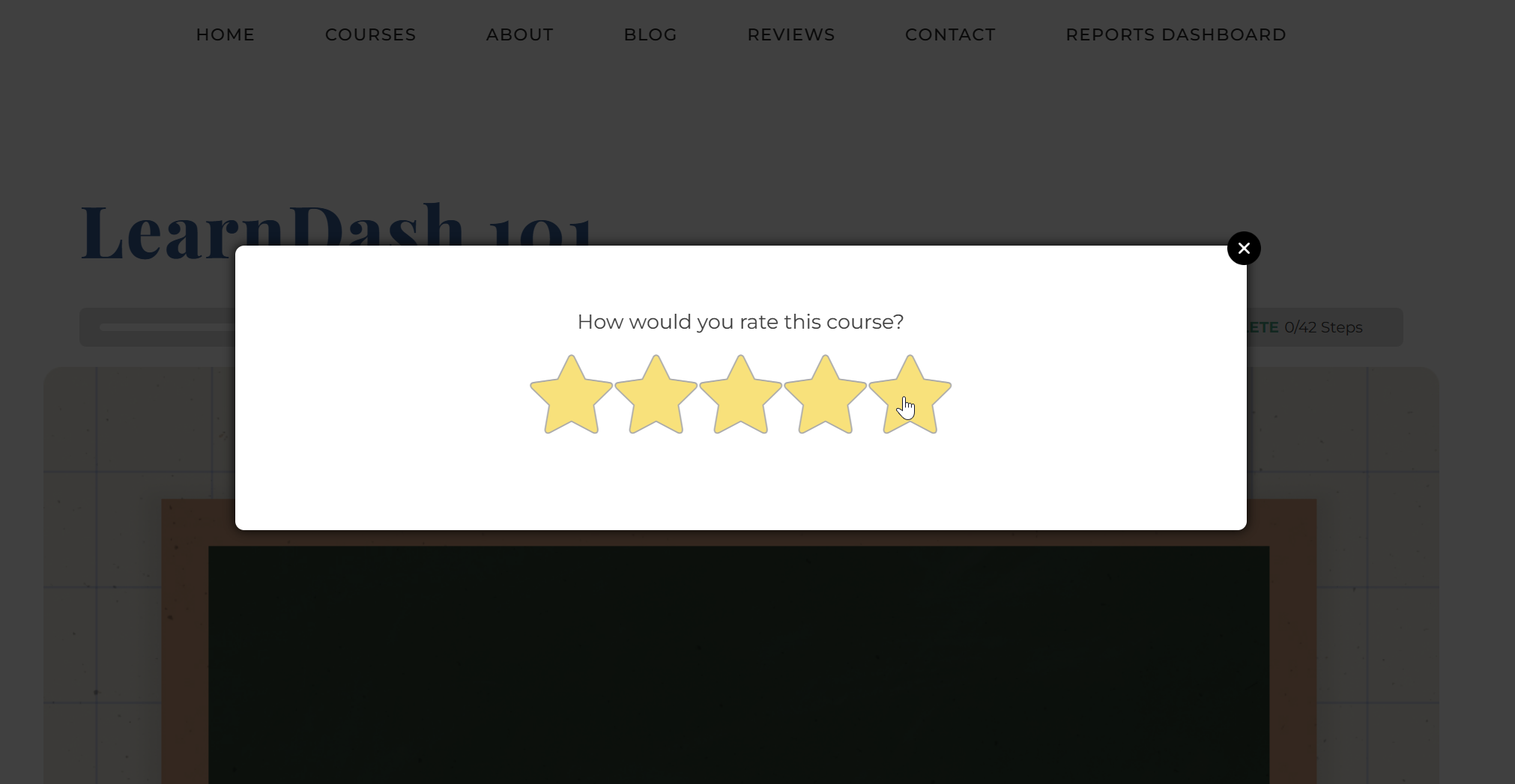
Solution: When ratings are enabled, your course visitors will also see a ratings popup featuring an intuitive star selector that lets students rate the course instantly.
Use Case 3: Gather Private, Constructive Student Feedback
Scenario: You want students who finish a course to share constructive critiques or file uploads privately with the instructor rather than posting publicly.
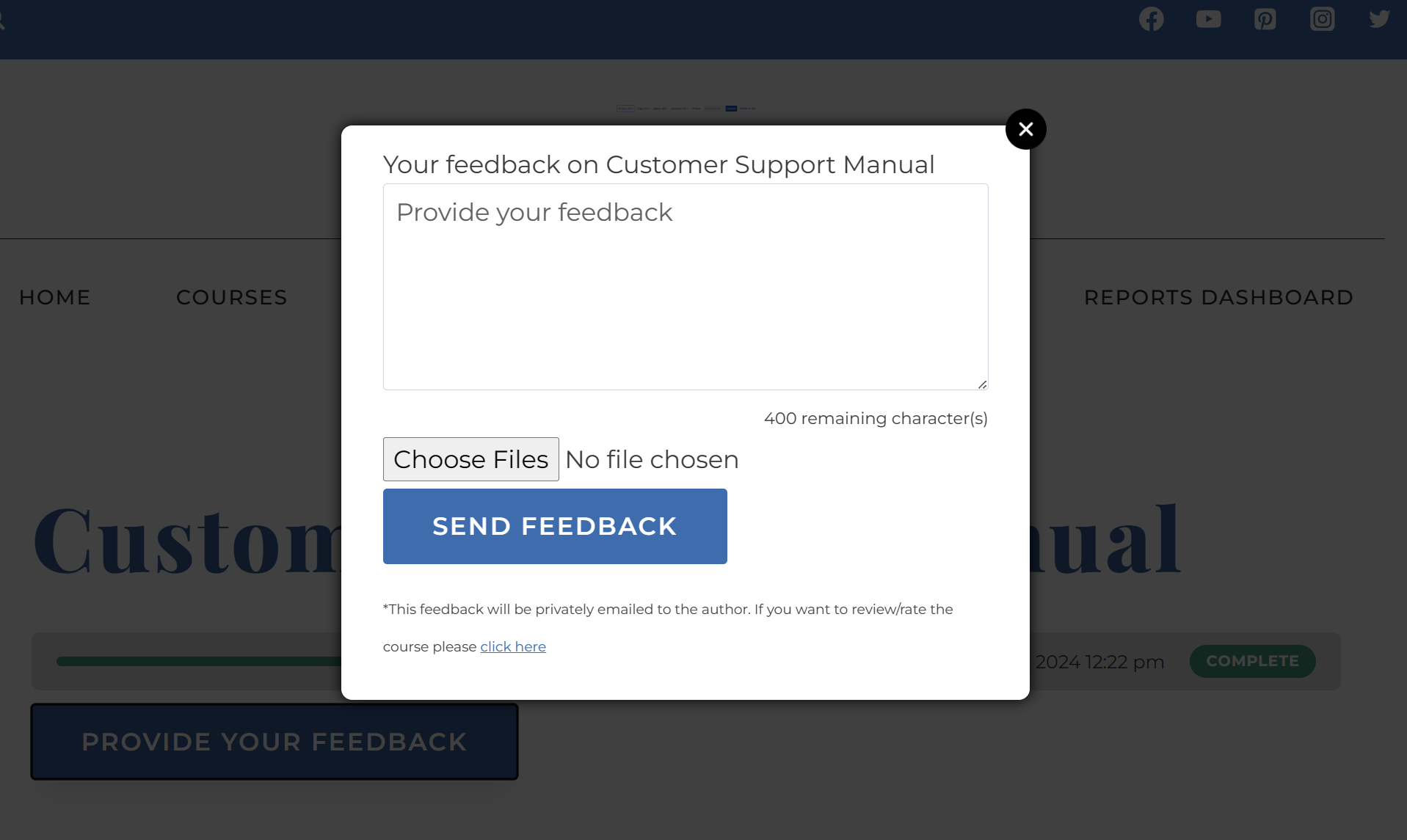
Solution: After a user completes the course a button to post feedback is available near the print certificate button on the course page. Clicking this will open a dialog where the user will be able to submit personal feedback. The feedback is basically a personal message to the instructor regarding his/her course. As such it is only available in the WordPress backend and isnt shown on the frontend of the website.
Use Case 4: Build a Site-Wide Testimonial Directory
Scenario: You want a central reviews hub on your site where visitors can explore feedback across your entire curriculum.
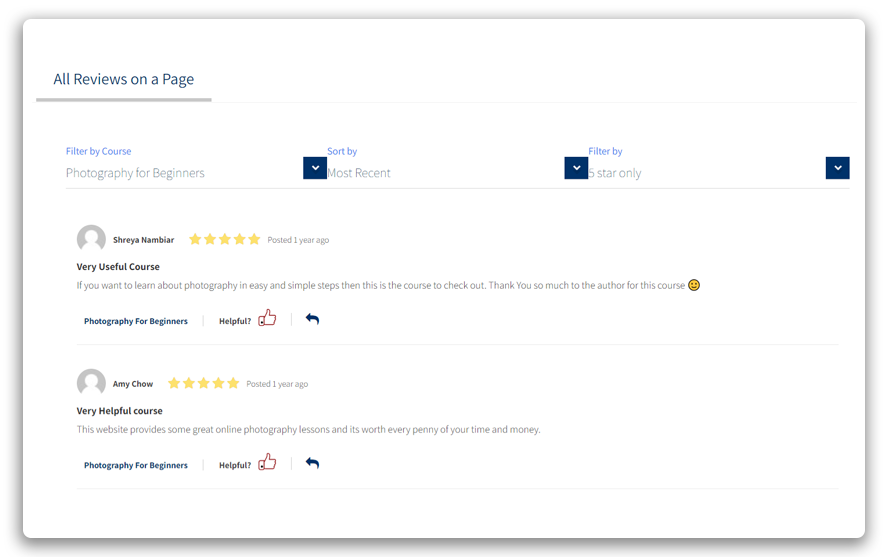
Solution: You can show reviews for all the courses on a single page now with [rrf_all_reviews] shortcode. This shortcode allows you to filter reviews by Courses and/or star ratings, and sort reviews by Most Recent or Top reviews.
Use Case 5: Maintain Content Quality via Centralized Moderation
Scenario: You need to monitor all student reviews to eliminate spam and enforce quality guidelines before anything goes live.
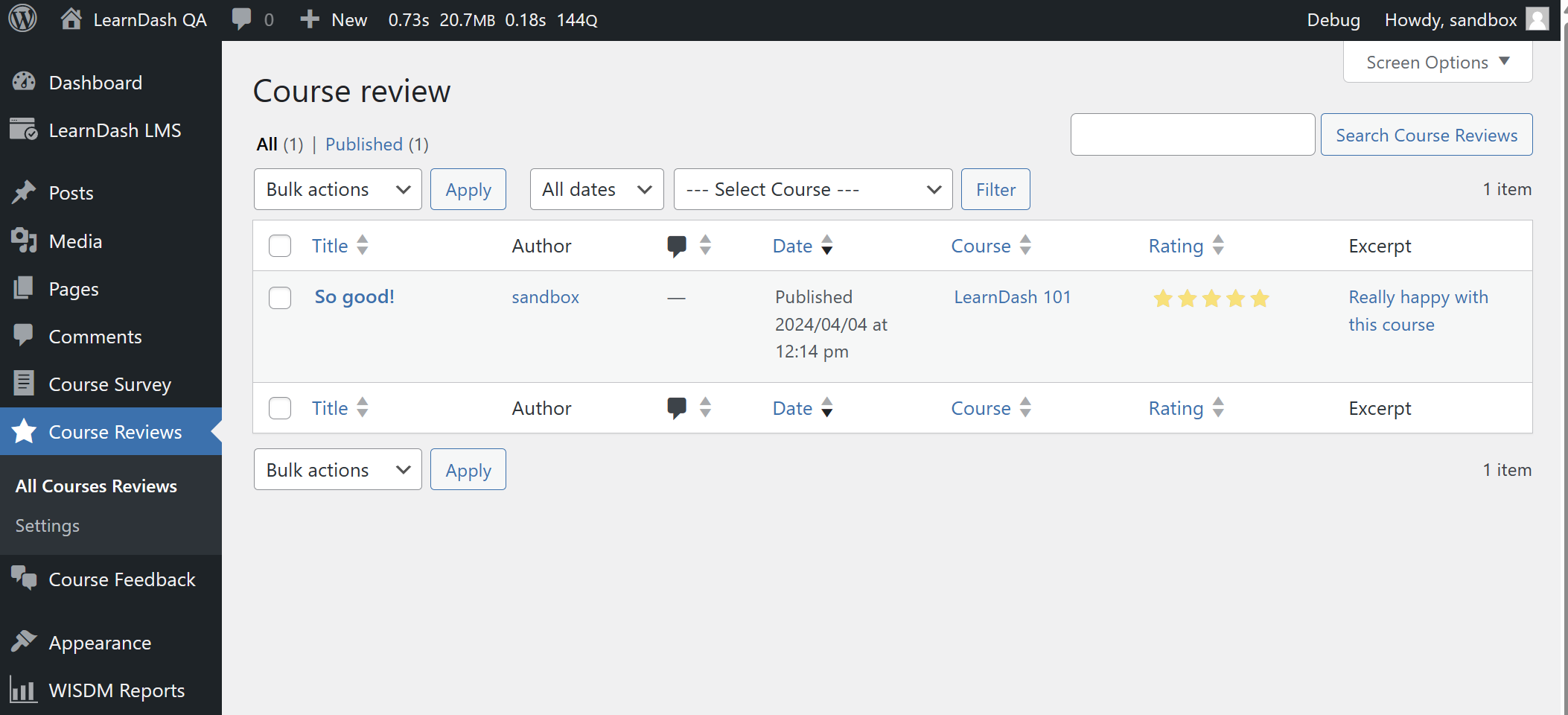
Solution: Administrators of your website can review and moderate the reviews in the admin by going to Course Reviews > All Course Reviews . There they can Edit, Trash, View, or Reject each review individually.
Pro Tip: Elevate Sales Pages with Targeted Rating Badges
You can show only the star ratings of a particular course by using [rrf_show_ratings course_id="x"]. Combine this shortcode with page builder grids or landing pages to embed visual star ratings directly adjacent to course pricing tables and purchase buttons, driving conversions with targeted social proof.
Ready to Get Started?
To learn how to install, activate, and configure this add-on on your site, see our setup guide: Setting Up Ratings, Reviews, and Feedback in LearnDash.