

Kadence
Select a Product for Preview in Woo Template
Kadence Shop Kit allows you to create custom templates for WooCommerce single product pages and archives. A Woo Template is a custom post type and is not associated with a product. However, when you design a Woo Template, it is useful to see how a particular product looks in your template. Therefore, Shop Kit allows you to select a product to preview.
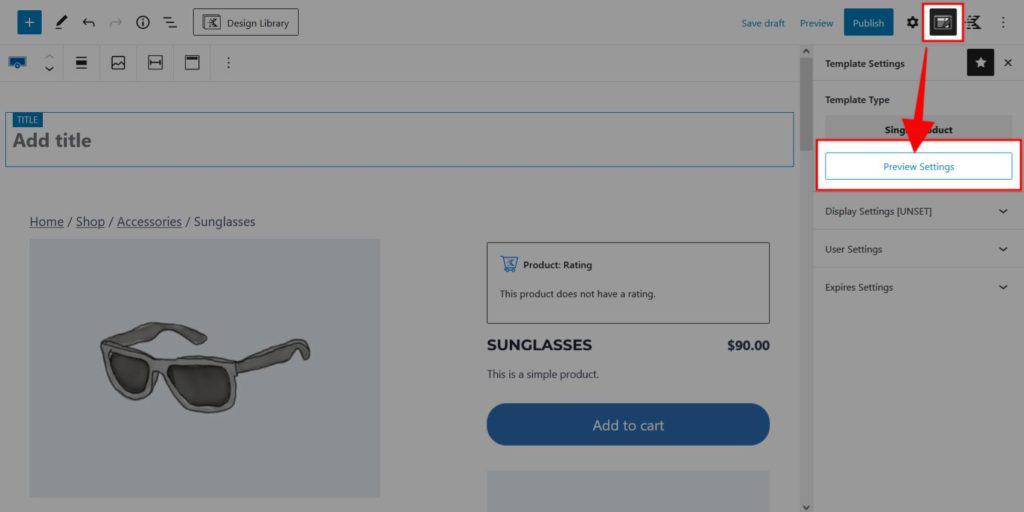
- While editing a Woo Template, click on the Template Settings button to the right of the Publish button.
- Click Preview Settings.
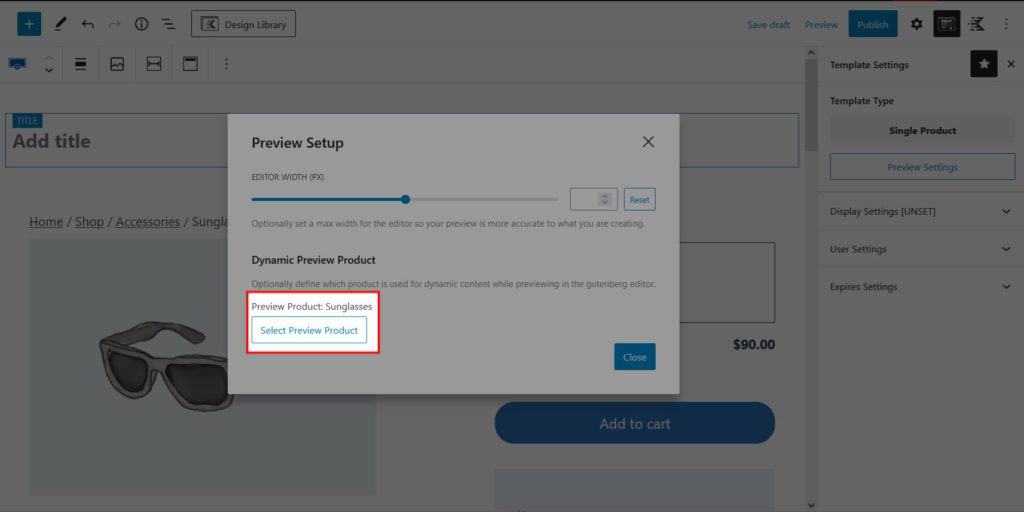
- Click Select Preview Product.
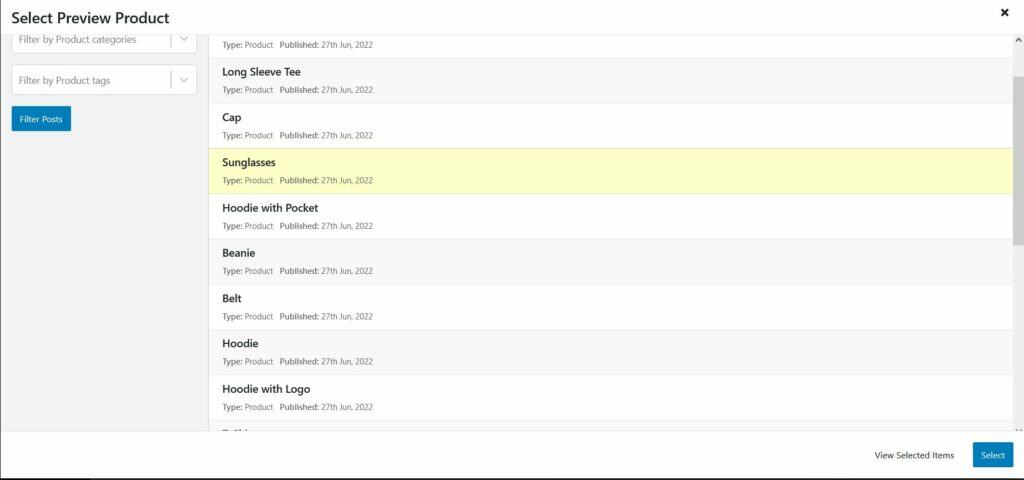
- Select a product to display.
Filed under
Woo Template Blocks
Was this page helpful?
Thanks for the feedback!