

Kadence
Kadence Simple Share (Add Social Share Icons to Posts)
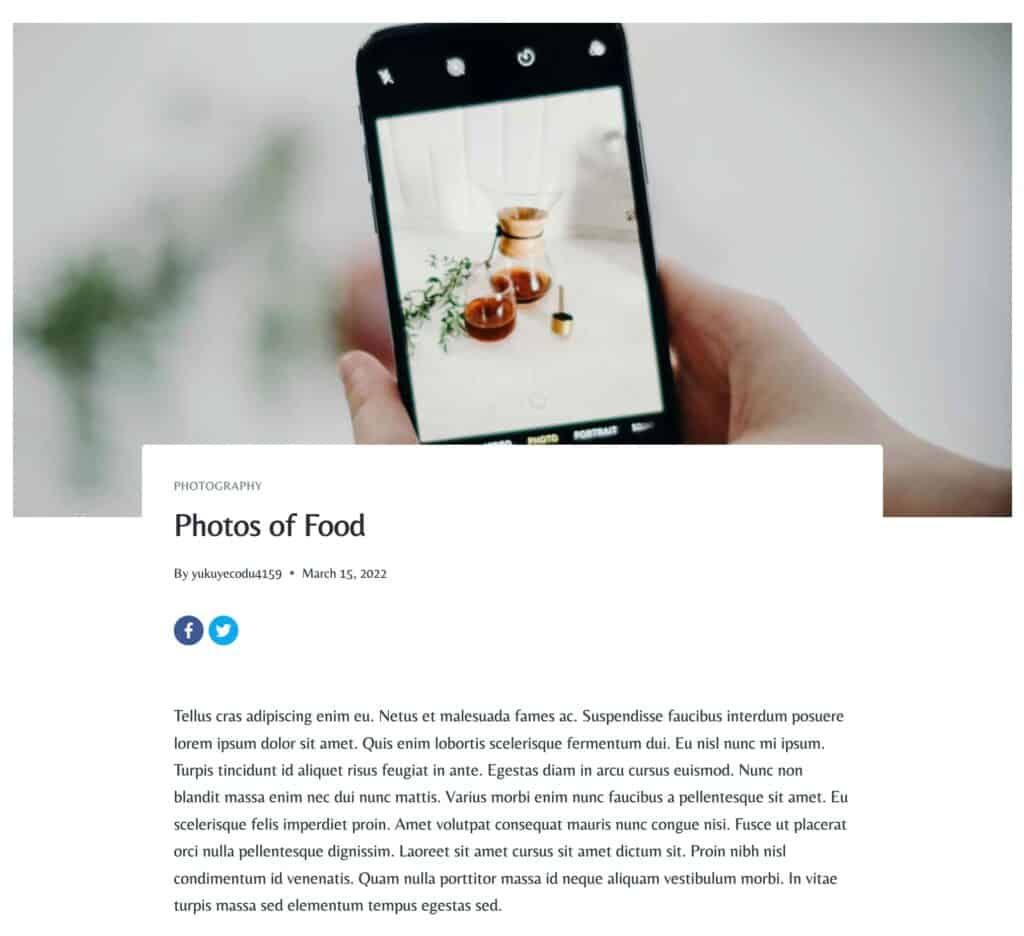
Kadence Simple Share provides a lightweight, clean way to add social sharing icons to your WordPress posts, pages, and products. It is intentionally streamlined with no heavy third-party share counts or external tracking APIs to slow down your page load speed just fast, accessible buttons for sharing content across popular social platforms.
Licensing Kadence Simple Share
Nexcess Software manages your licensing through the Nexcess Portal. For full instructions on downloading, installing, and licensing your product, see the official How to Activate Your License document.
Sharing Options
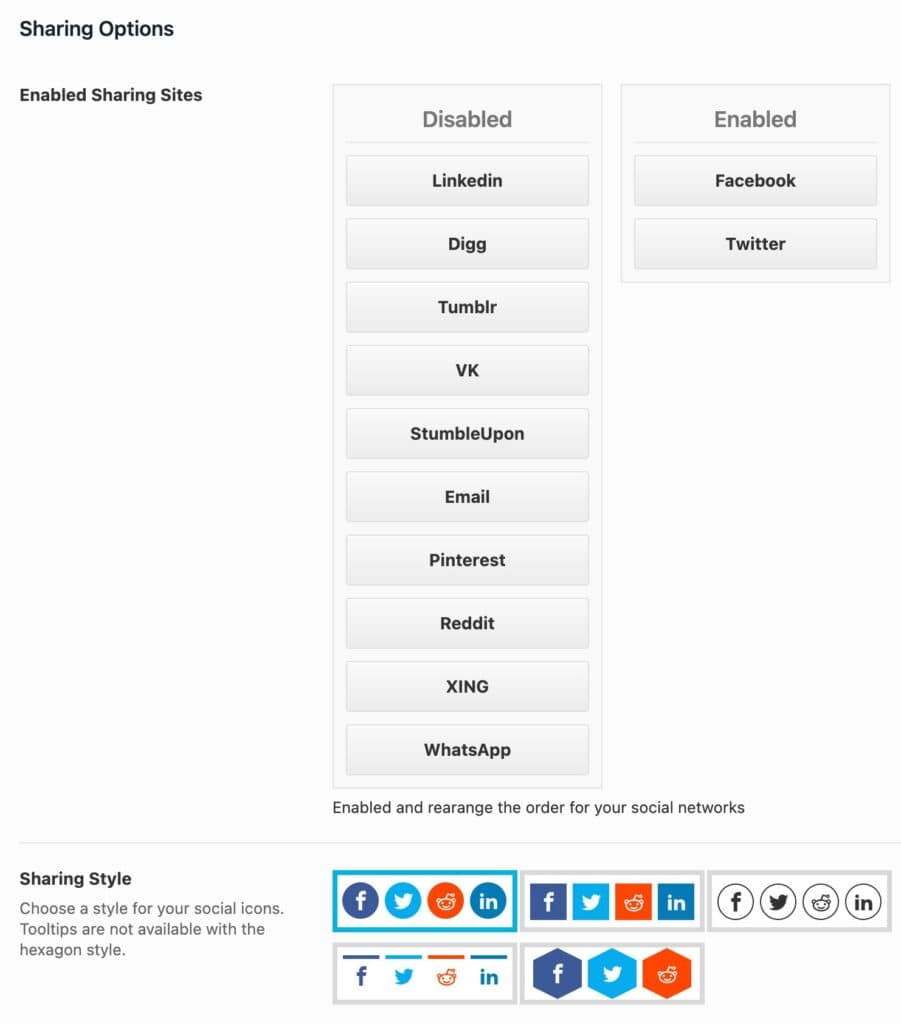
You can enable different Sharing Sites. You can pick from: Facebook, Twitter, LinkedIn, Digg, Tumblr, VK, StumbleUpon, Email, Pinterest, Reddit, XING, or WhatsApp. Just drag a website button from the Disabled Column over to the Enabled Column to enable it in the Social Share Icon List.
There are five different Sharing Styles you can choose from. You can select your preferred Sharing Style based on your preferred preview.
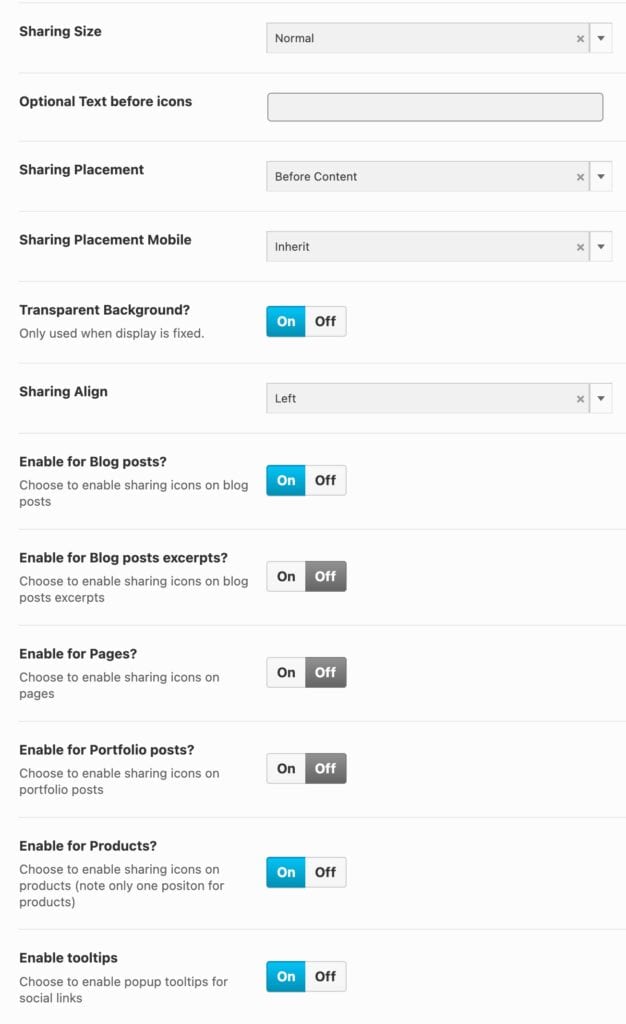
The Sharing Size setting allows you to set a size for your Social Share Icons. This can be set to Normal or Large.
You can use the Optional Text Before Icons setting if you’d like to add text before your Social Share Icons.
The Sharing Placement setting allows you to set the placement of your Icons. You can pick between: Before content, After Content, Both Before and After Content, Fixed Left, Fixed Right, Fixed Bottom, or None.
You can also set a Sharing Placement for Mobile.
You can turn the Transparent Background on or off.
You can set your icon alignment by using the Sharing Align setting.
You can enable the Social Share Icons for different Post Types and areas. You can enable this for Blog Post, Posts Excerpts, Pages, Portfolio Posts (If applicable), and Products.
You can also enable the Popup Tooltips for Social Links.
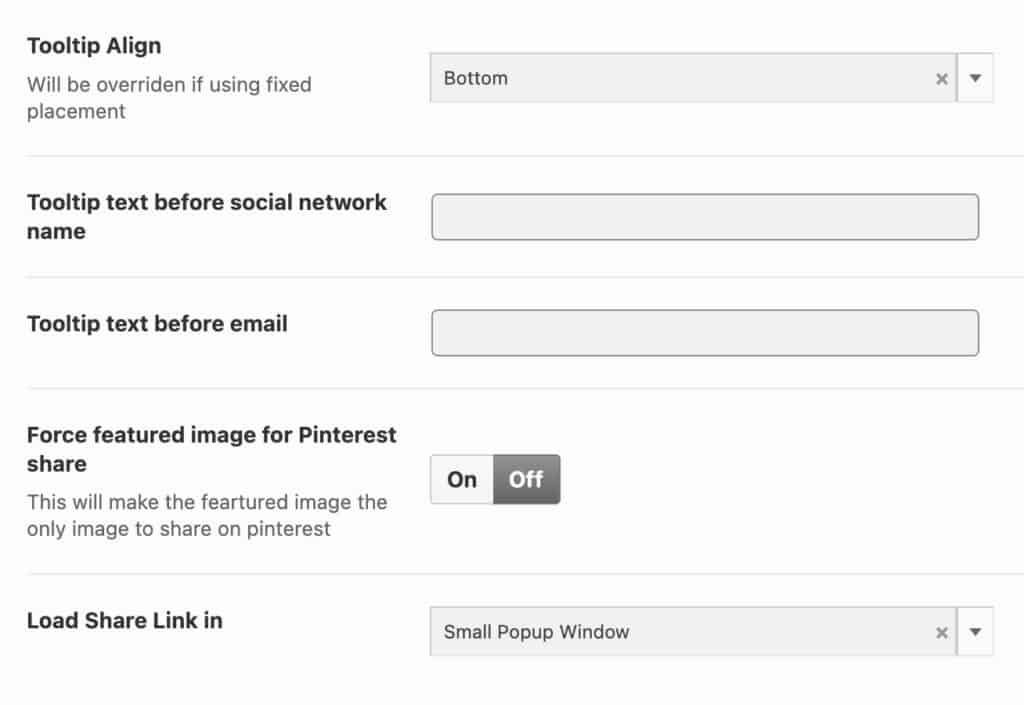
You can use the Tooltip Align setting to align your Tooltip.
You can add a Tooltip Text before your Social Network Name.
You can also add a Tooltip Text before the Email.
You can Force Featured Image for Pinterest Share. This will make the featured image the only image to share on Pinterest.
You can also set the Load Share Link In settings. This can be set as a Small Popup Window or in a New Tab.
Kadence Simple Share Shortcode
If you have a Custom Post Type or want to share your icons somewhere other than what is available, you can use the [kadence_simple_share] shortcode to do so. You can also just use this shortcode wherever you need. The Kadence Simple Share shortcode can be added to a WordPress Shortcode Block and added to different Post Types or Elements.
