

Create Siteworx Backups in Nodeworx
- Log into NodeWorx.
- In NodeWorx, navigate to SiteWorx > Backup / Restore
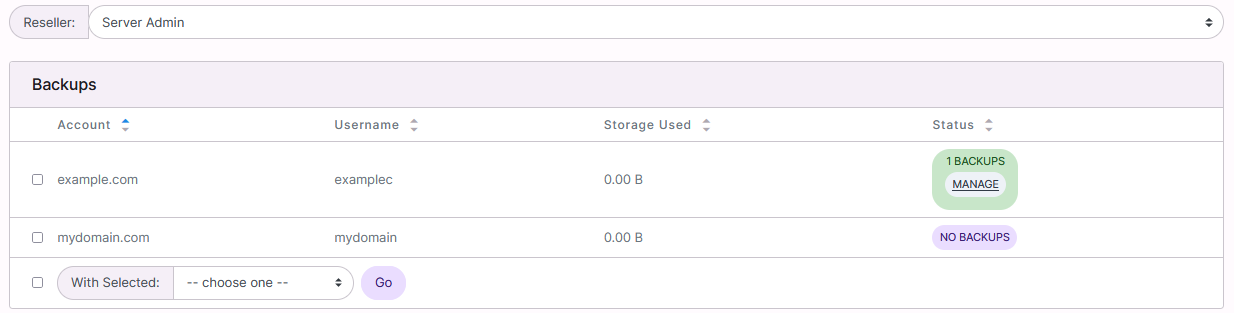
- Select the Reseller that owns the account(s) from the Reseller dropdown
- If logged in with a NodeWorx Reseller account, only the SiteWorx accounts owned by that reseller will be shown
- Select the checkboxe(s) for the SiteWorx account(s)
- Selecting the checkbox next to the With Selected dropdown will select all accounts
- Select the backup type from the With Selected dropdown
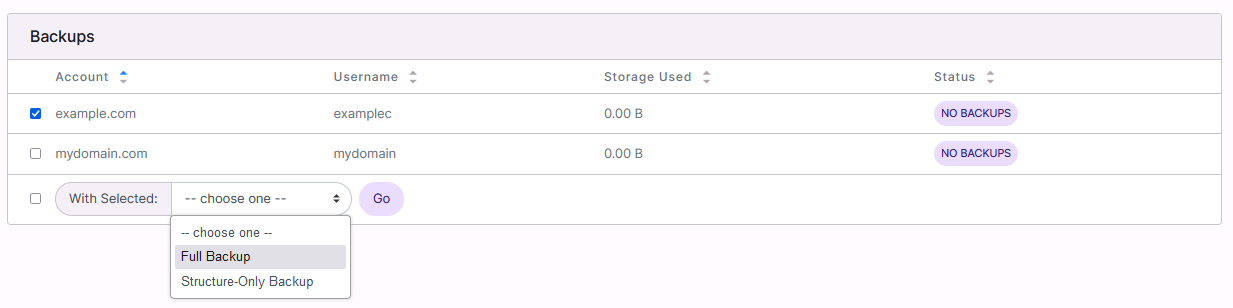
- Full Backup: Create a full SiteWorx backup, which includes all SiteWorx account related data
- Structure-Only Backup: Creates a backup that only contains SiteWorx related data that is stored in the internal InterWorx database, such as email users and passwords
- Actual files, such as website files, actual emails, and database tables, are not included in structure-only backups
- Structure-only backups are useful for SiteWorx accounts that have large amounts of data files, where a regular full backup could take a considerable amount of time and resources
- Click Go. This opens the Create Backup form
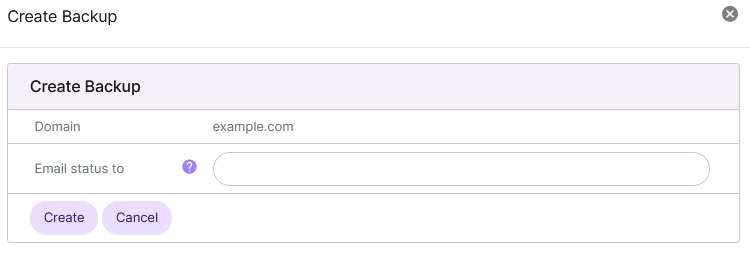
- (Optional) Update the E-mail Status To field with the email that should be notified when the backup process finishes
- Click Create