

Kadence
Copy Page Builder Content
If you’ve configured a page builder layout in a post or page that you’d like to copy to another page or post, you can do so by first opening the Layouts area in Page Builder: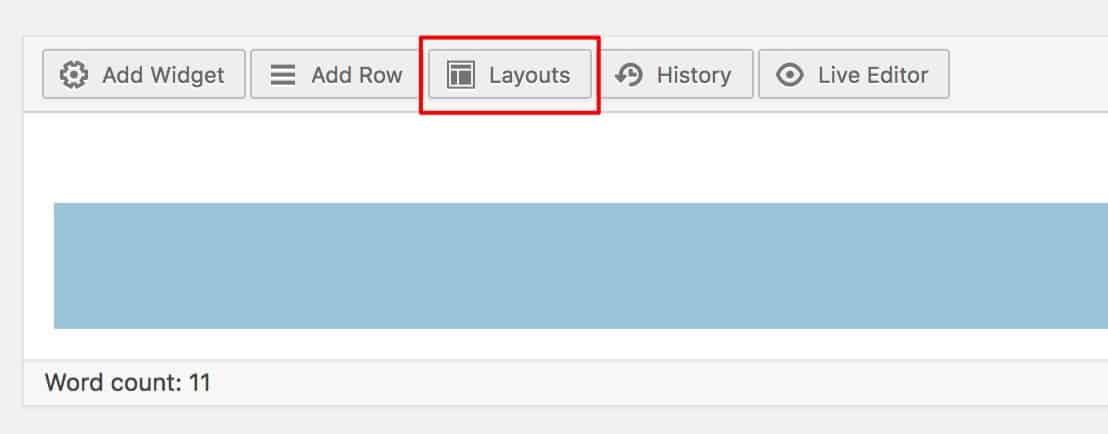
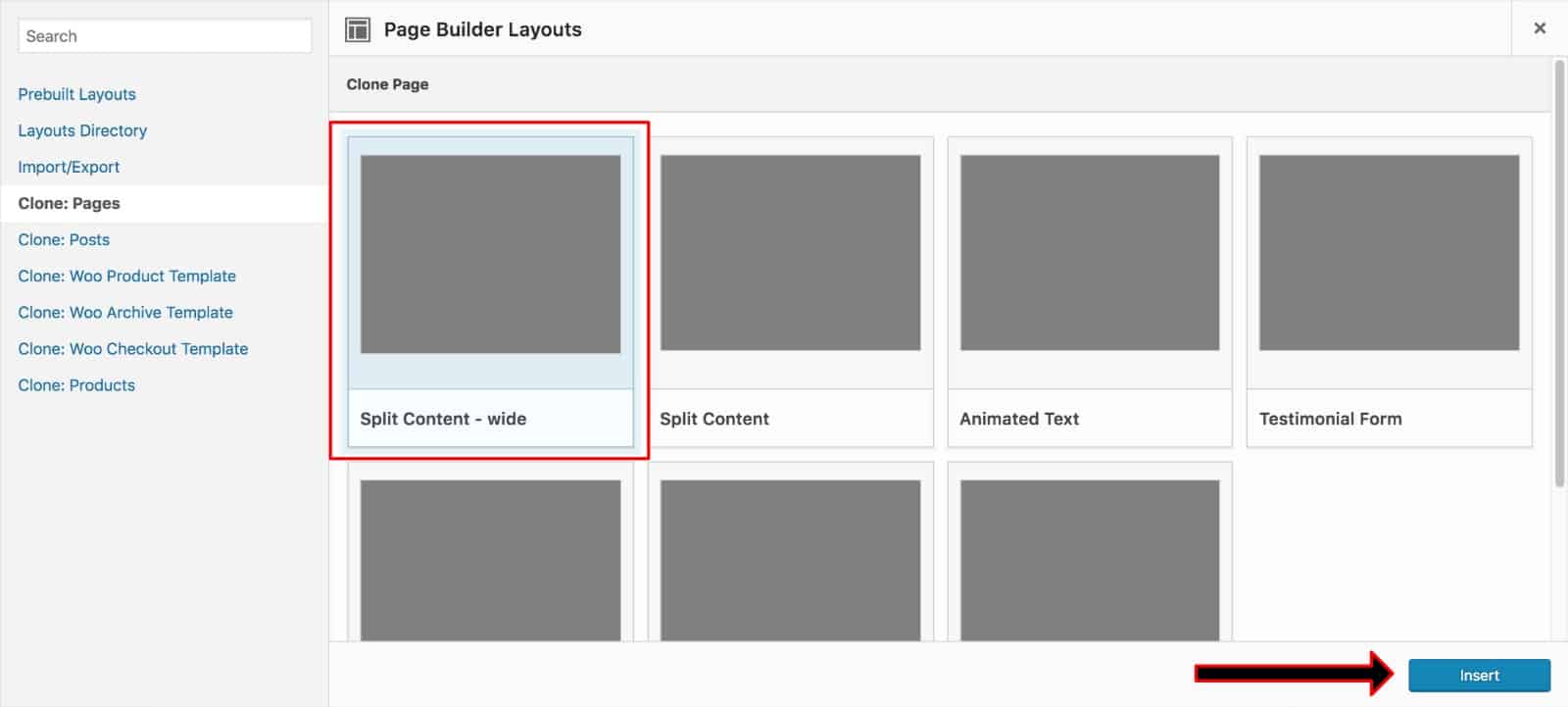
Select “Clone: Pages, or Clone: Posts, depending on what content you’re trying copy, select the content, and click the “Insert” button:
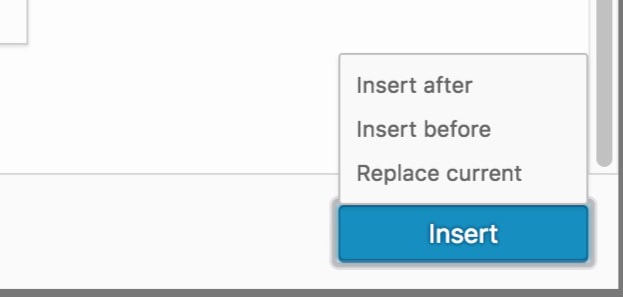
Choose to place before or after the current content, or replace it entirely:
You should now see the page builder content copied over:
Filed under
Uncategorized
Was this page helpful?
Thanks for the feedback!