

Kadence
Installing Ascend Premium
Login to your WordPress admin and navigate Appearance >> Themes.
Step 1- Select the Add New tab at the top, then click Upload Theme.

Step 2- After you click the Upload link, a new page will open where you will be asked to find the .zip file you downloaded after purchasing.
Step 3- Select that file and click Install Now.
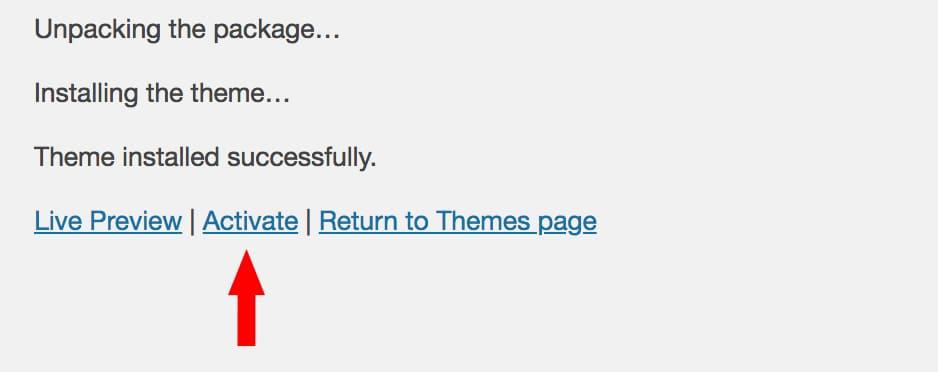
Step 4- When it has finished uploading, activate the Ascend Premium theme.
Upgrading -Free to Premium
Update Your Menu Location Assignments
- Step 1 – Navigate to Appearance > Menus.
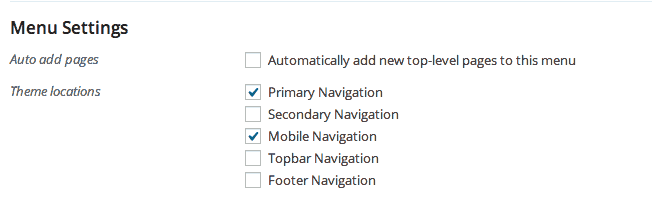
- Step 2 – Choose a menu and assign it to the appropriate location in the theme.
Update Your Widget Assignments
- Step 1 – Navigate to Appearance >> Widgets.
- Step 2 – Click and drag each widget back to the desired location (when switching themes widgets may switch widget areas or be placed in the “inactive” widget area).
Filed under
Uncategorized
Was this page helpful?
Thanks for the feedback!