Kadence
Kadence Reading Time
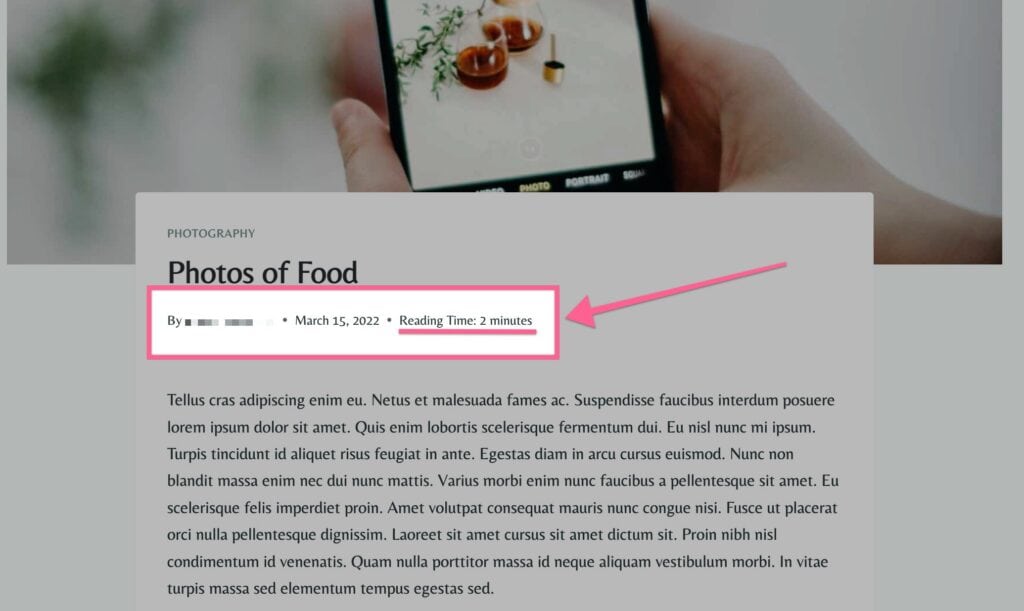
The Kadence Reading Time plugin provides an automated way to display an estimated reading time on your WordPress posts. Showing an estimated reading duration sets clear reader expectations and encourages visitors to engage with your content.
The plugin automatically calculates reading duration based on your configured words-per-minute rate, eliminating the need to calculate or enter read times manually.
Licensing Reading Time
Nexcess Software manages your licensing through the Nexcess Portal. For full instructions on downloading, installing, and licensing your product, see the official How to Activate Your License document.
Configuring Kadence Reading Time Settings
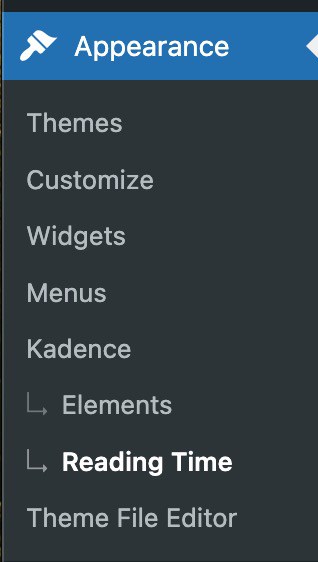
You can access your Kadence Reading Time Settings by going to your Dashboard -> Appearance -> Kadence -> Reading Time
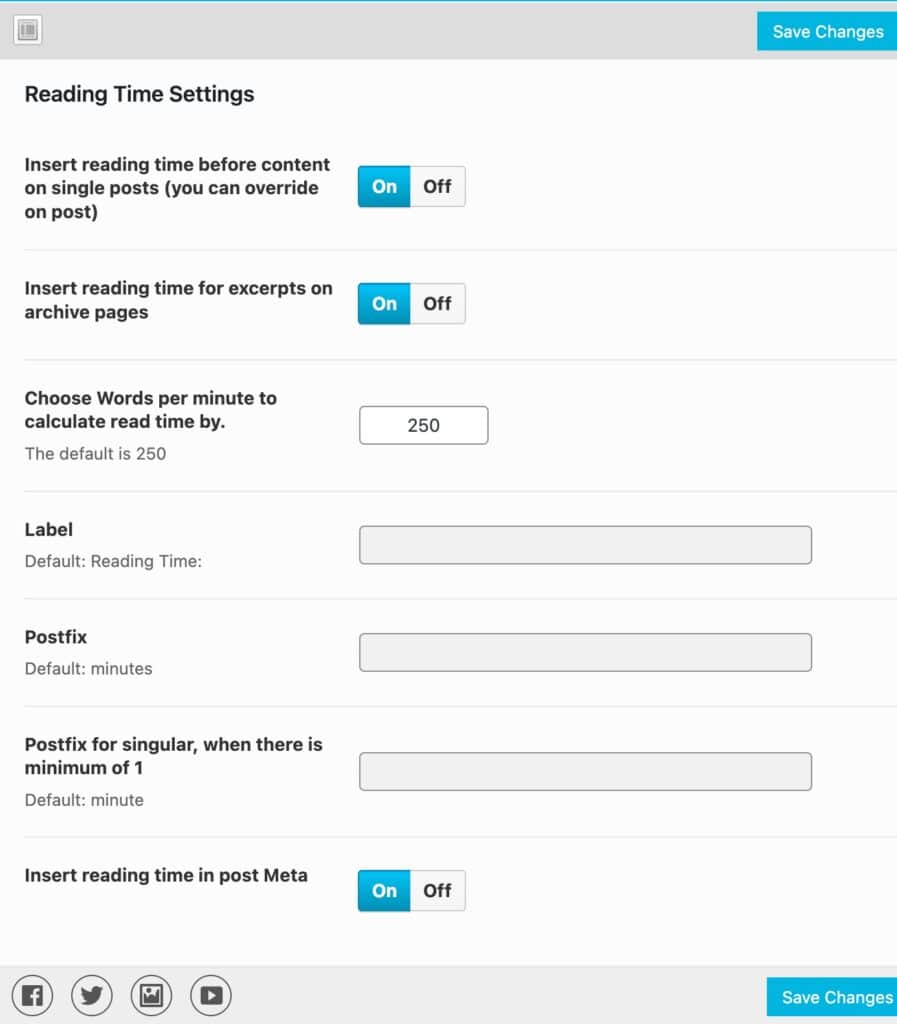
Here you can customize how read time is calculated and displayed:
- Insert Before Content: Automatically displays the reading time at the beginning of single blog post content.
- Insert on Excerpts: Automatically includes the estimated reading time with excerpts on blog archive and category pages.
- Words Per Minute (WPM): Define the reading speed used for the calculation. The default is set to
250words per minute. - Label: Customize the prefix text. The default is
Reading Time:. - Postfix (Plural): Set the label following the calculated number when greater than 1. The default is
Minutes. - Postfix (Singular): Set the label used when the read time calculation is exactly 1 minute. The default is
Minute. - Insert in Post Meta: Automatically inserts the reading time into the native Kadence Theme entry meta header alongside the author, publish date, and categories.
Click Save Changes to store your configuration.
Using the Reading Time Shortcode
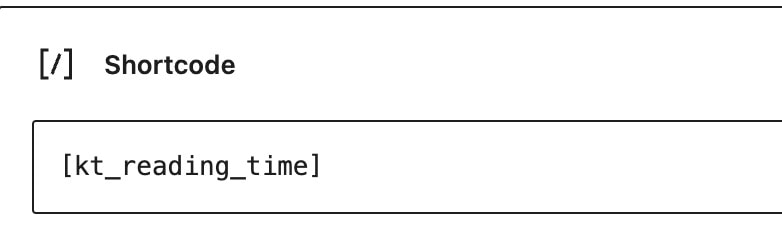
If you want to display the reading time inside a Custom Post Type, within a custom Kadence Elements template, or anywhere outside the standard theme post layout, use the native shortcode:
[kt_reading_time]
You can add this shortcode using a WordPress Shortcode Block or embed it inside template files using do_shortcode().