

Community
Introducing Community Events
What Is Community Events?
Community Events is a core feature of the Community add-on for The Events Calendar that lets people submit events to your calendar directly from the front end of your site. In short, it turns your calendar into a shared community hub that local groups, members, and partners help fill—without giving anyone access to your WordPress dashboard.
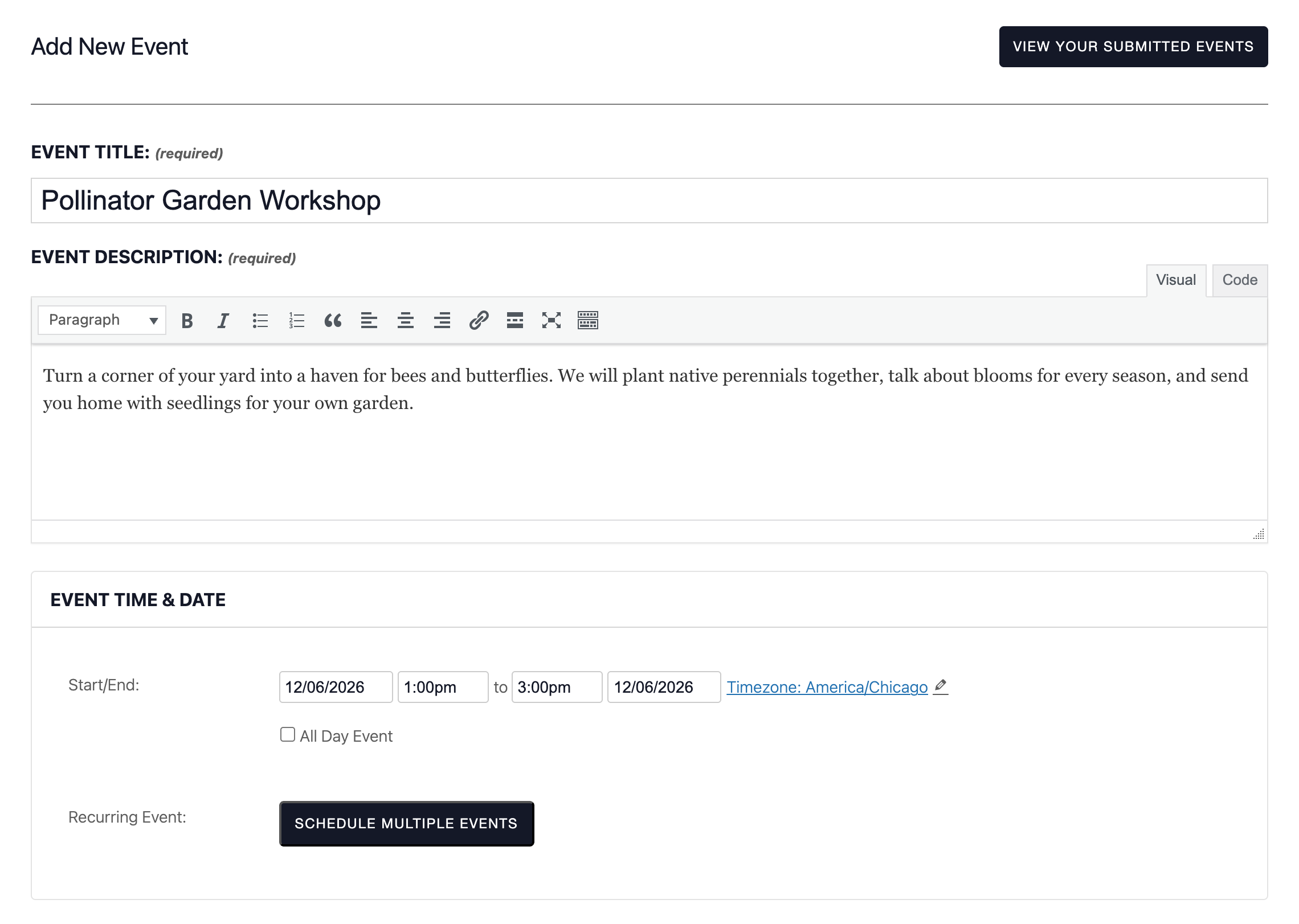
Submitters fill out a simple form with the event’s title, description, date and time, image, categories, venue, and organizer. You decide what happens next: new submissions can be saved as drafts, held for your review, or published right away.
Why Use Community Events?
Instead of tracking down events and adding every listing yourself, Community Events lets local organizers submit them for you—while you decide what goes live.
Stop Retyping Events from Your Inbox
Without Community Events, every event arrives by email, phone, or flyer, and someone on your team has to copy the details into the calendar. With a submission form on your site, organizers enter their own events, with all the details in the right fields, so nothing gets lost or mistyped along the way.
Review and Publish in a Few Clicks
Submitted events are regular events in your dashboard, so reviewing one takes seconds: open it, make any changes, and publish. You can get an email whenever a new event is submitted, and submitters can choose from the venues and organizers already saved on your site instead of typing them again.
Give Submitters a Place to Manage Their Events
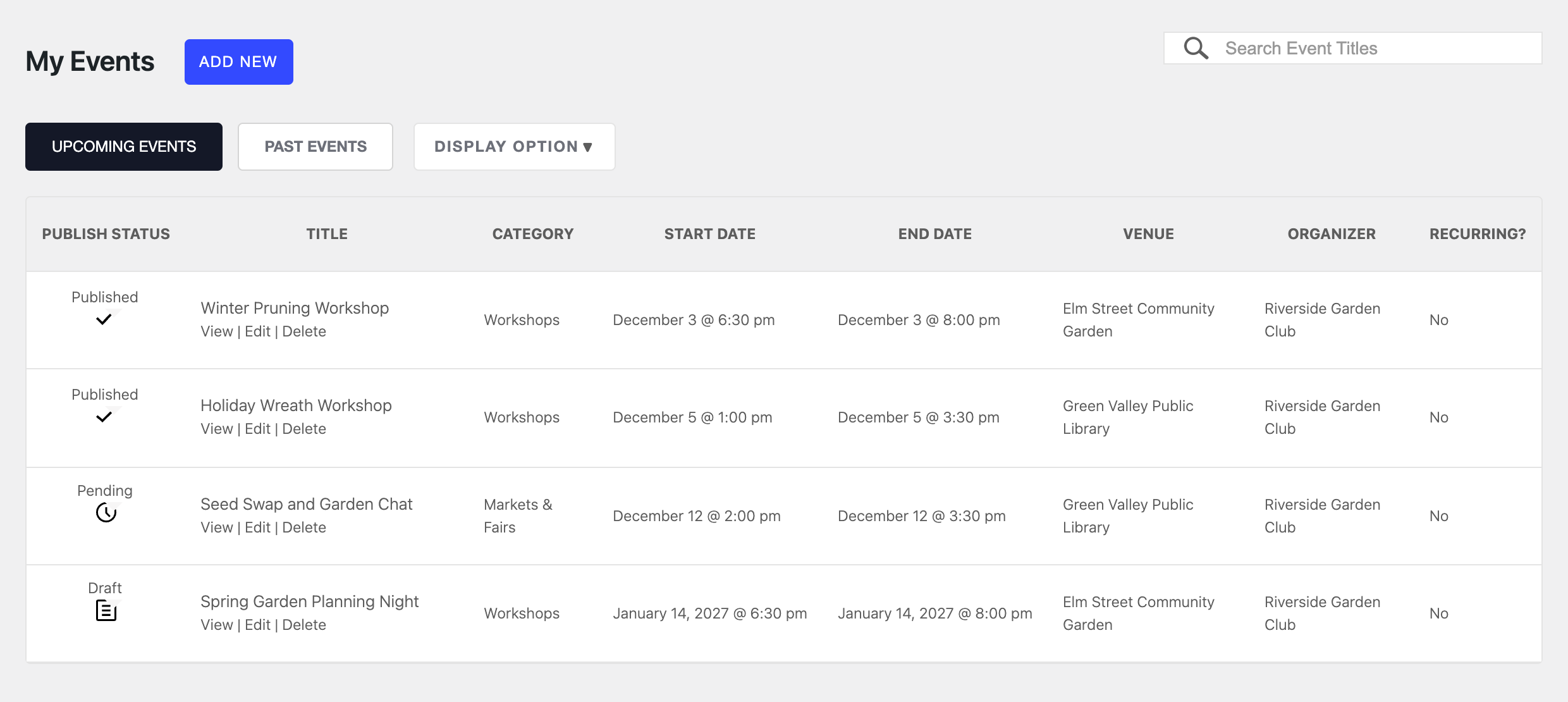
Every submitter with an account gets a My Events page that lists their upcoming and past events and shows whether each one is published, pending, or a draft. If you allow it, they can edit or remove their own events, so a changed start time or a canceled event doesn’t have to go through you.
Unlock New Possibilities
Community Events also includes tools for larger and busier calendars:
- Ticket sales. With Event Tickets, submitters can sell tickets for their events, and you can collect a fee on each sale.
- Submissions without an account. Let visitors submit events without logging in, and protect the form from spam with reCAPTCHA.
- Terms of submission. Ask submitters to agree to your terms before they can submit an event.
- Recurring and virtual events. With Events Calendar Pro, submitters can schedule repeating events and add virtual event details.
- A form anywhere on your site. Use shortcodes to place the submission form or the My Events list on any page.
- A front end just for submitters. Keep chosen user roles out of the WordPress dashboard and send them to their My Events page instead.
Common Use Cases
Use Case 1: A Community Calendar for Your Town
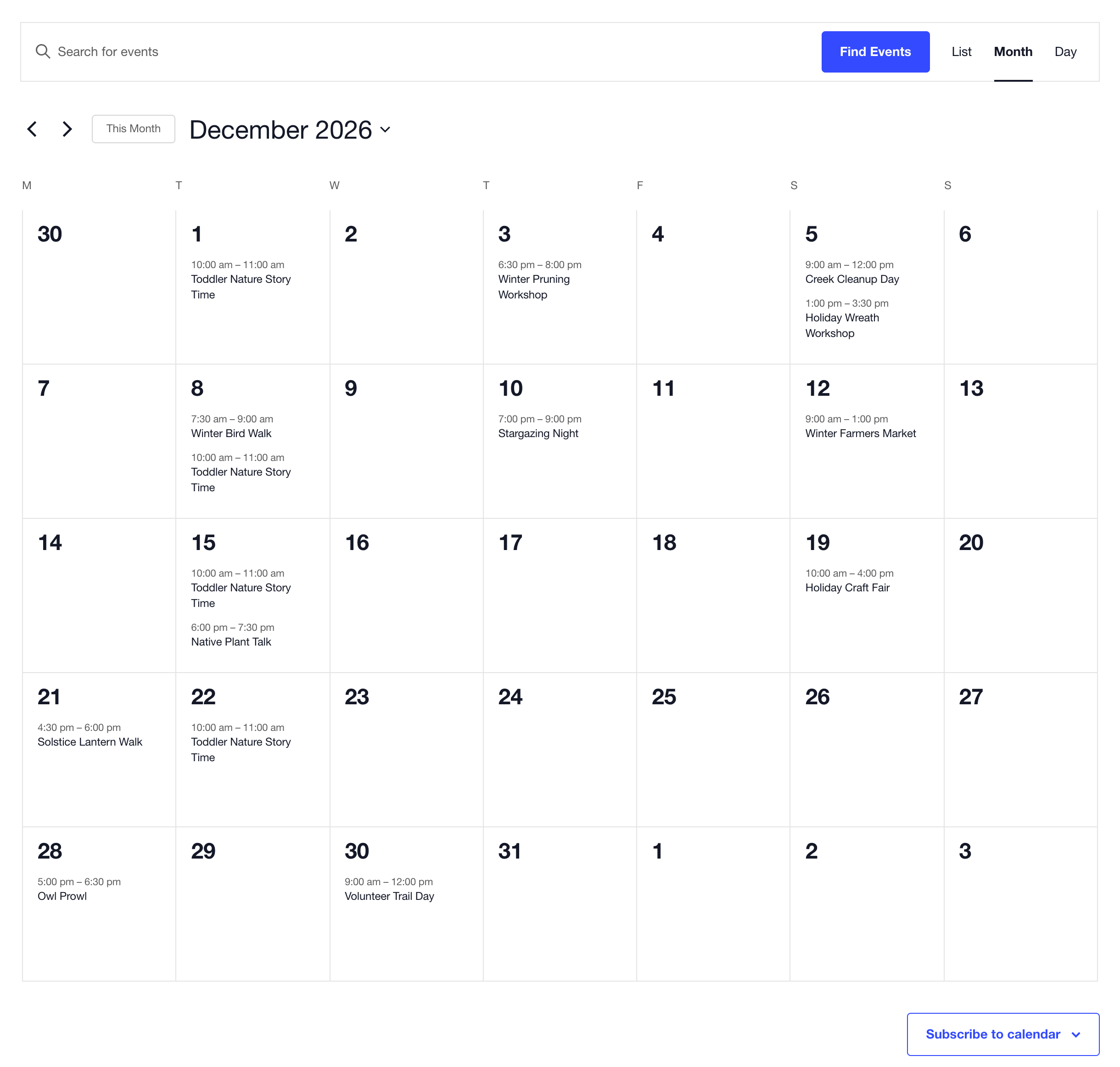
Scenario: Your nonprofit, chamber of commerce, or visitor bureau runs the local events calendar. Libraries, clubs, and businesses email you their events, and keeping up takes hours every week.
Solution: Add a Submit an Event link to your site and hold new submissions for review. Each group enters its own events, you get an email when one arrives, and approving it takes a click. Your calendar fills with events from across the community without anyone retyping them.
Use Case 2: An Event Marketplace That Sells Tickets
Scenario: Instructors and hosts want to sell tickets to their workshops through your site, and you’d like your site to earn something from each sale.
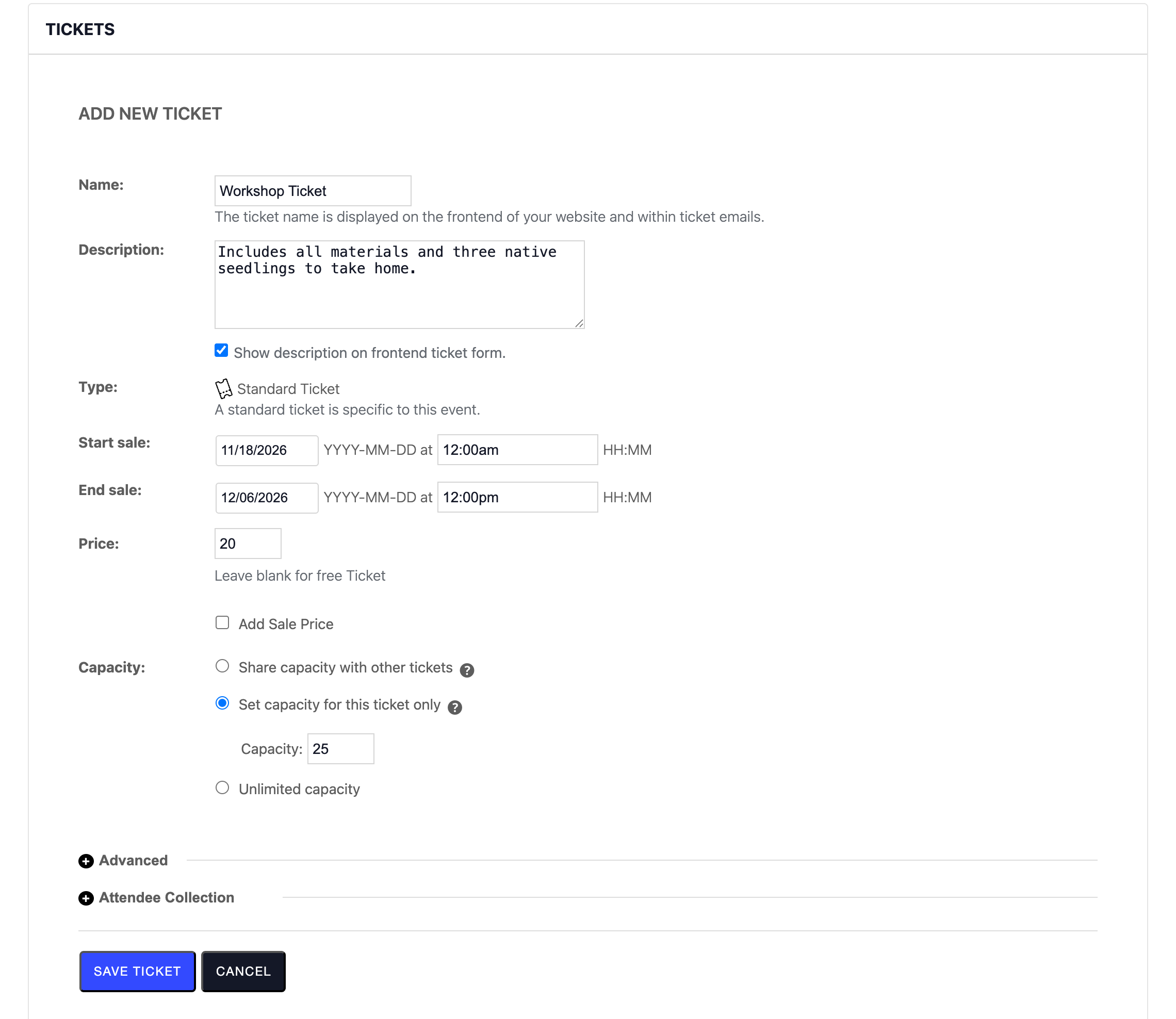
Solution: Turn on Community Tickets. Organizers add tickets right on the submission form, with a price, a capacity, and sale dates. You set a site fee, either flat, a percentage, or both, and choose whether it’s added to the ticket price or taken out of it. Organizers can check their attendees and sales from their My Events page.
Use Case 3: A Library, Park, or Venue Shared by Many Groups
Scenario: Many groups hold programs in your rooms or parks. When each group types the venue name its own way, your calendar ends up with duplicate venues and misspelled addresses.
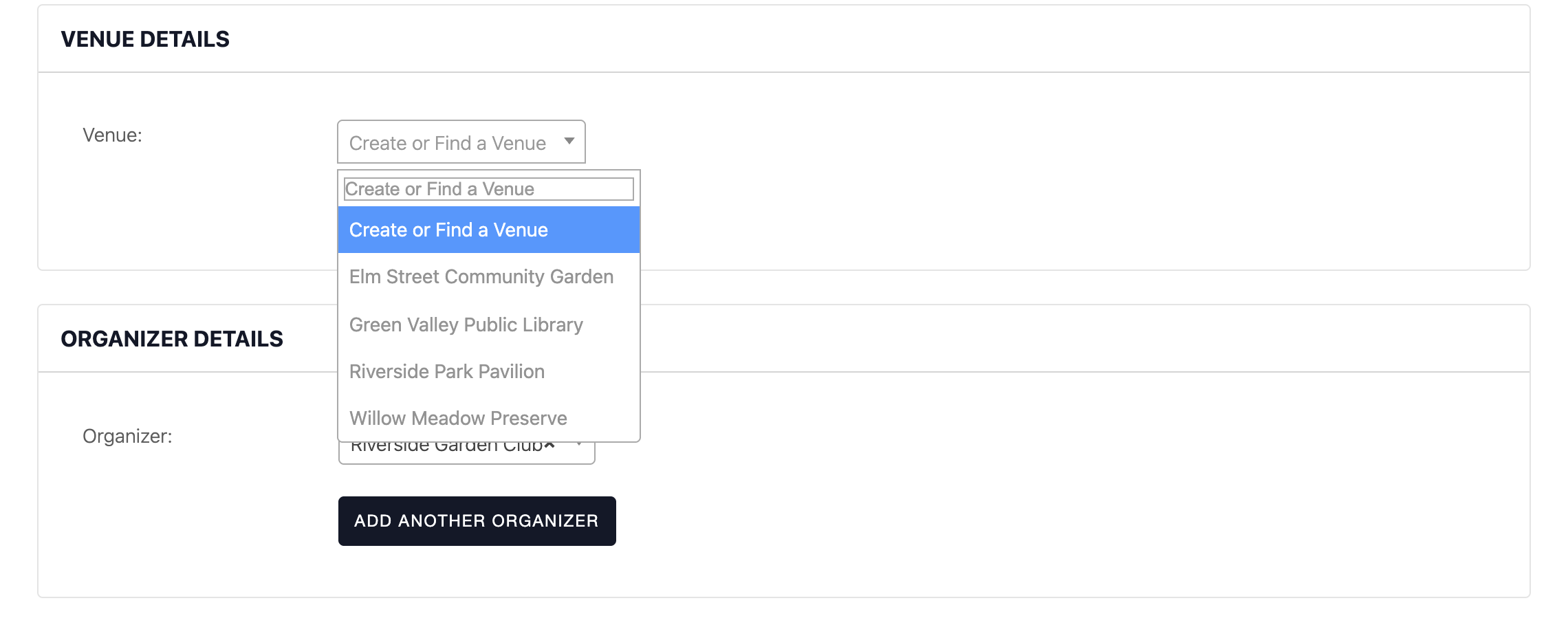
Solution: Limit submitters to the venues you’ve already saved, so they pick from your list instead of creating new ones. You can do the same for organizers, or set a default venue and organizer for every new submission.
Pro Tip: Let Submitters Schedule Recurring Events
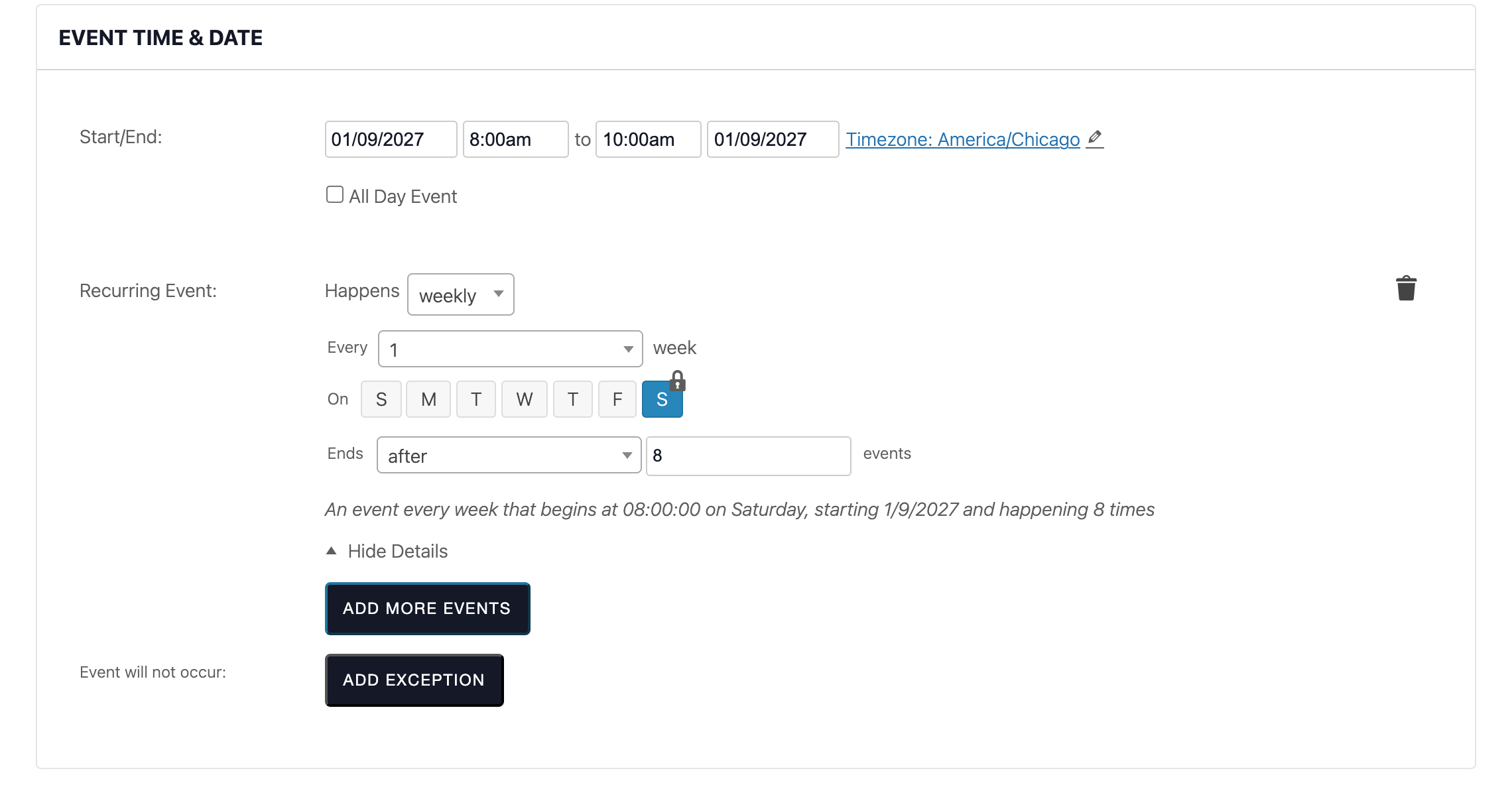
Weekly story times, monthly meetups, and volunteer mornings can fill a calendar quickly. Pair Community Events with Events Calendar Pro, and submitters can click Schedule Multiple Events to set a repeating pattern, such as every Saturday for eight weeks. One submission creates every date, and you review it once instead of approving each date separately.
Note: Recurring events require Events Calendar Pro, and an event with tickets or RSVPs can’t also be recurring.
Ready to Get Started?
To learn how to set up Community Events, see our setup guide: Getting Started with Community Events and Tickets.
You might also find these articles helpful: