How to delete FTP accounts with SiteWorx
- Log in to your SiteWorx account.
- If you do not know your password, click Forgot your password on the login page.
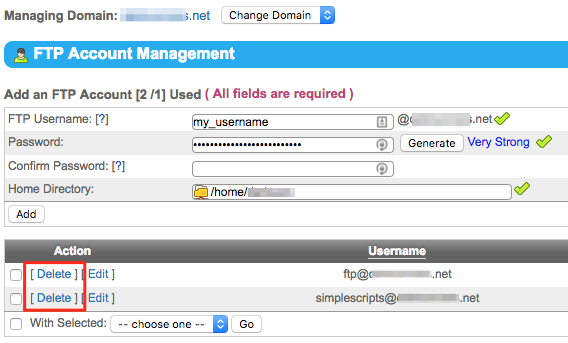
- From the SiteWorx main menu, click Hosting Features > FTP > Accounts
- Next to the account to be deleted, click Delete, then click Delete again when prompted.