Kadence Theme
Kadence Theme Kit Pro Plugin
The Kadence Theme Kit Pro plugin enhances the functionality of the free Kadence Theme by adding premium features such as Hooked Elements, Header Add-ons, Conditional Headers, and more. Learn more about purchasing a Kadence plan here.
Before you begin
Kadence Theme Kit Pro is a plugin, not a theme. This plugin requires the free Kadence Theme, and should be installed via your WordPress dashboard by going to Plugins > Add New.
Licensing Kadence Theme Kit Pro
Liquid Web Software manages your licensing through the Liquid Web Portal. For full instructions on downloading, installing, and licensing your product, see the official How to Activate a Unified License document.
The information below applies to users who purchased a Kadence plan before May 2026.
If you are on a legacy, grandfathered plan (prior to the May 2026 unified licensing release), there’s no need to manually enter a license key. Simply upload and install the latest plugin ZIP file on your site, and the license will apply automatically. For full instructions on downloading and installing legacy products, refer to the official Download Plugin and Theme Files document.
Enable Addons
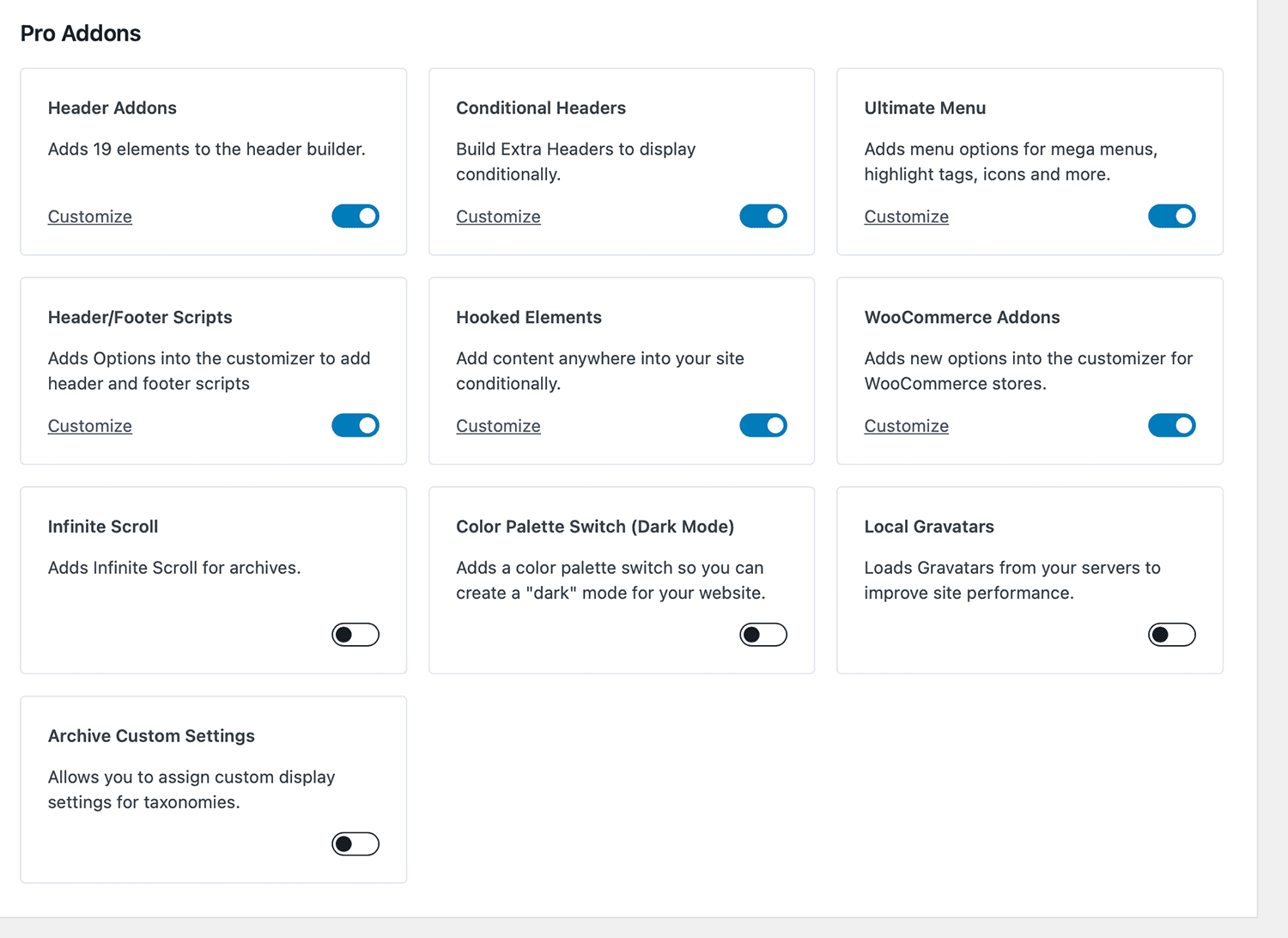
Once you have Kadence Theme Kit Pro active, you can toggle on any of the add-ons you’d like to activate from the Dashboard -> Appearance -> Kadence page. These extensive options include:
- Header Addons. Adds 20 elements to the header builder.
- Conditional Headers. Build Extra Headers to display conditionally.
- Ultimate Menu. Adds menu options for mega menus, highlight tags, icons and more.
- Header/Footer Scripts. Adds options into the WordPress Customizer to add header and footer scripts.
- Hooked Elements. Add content anywhere into your site conditionally. This is what you’ll need for Kadence Elements Templating.
- WooCommerce Addons. Adds new options into the customizer for WooCommerce stores.
- Infinite Scroll. Adds infinite scrolling for archive pages.
- Color Palette Switch (Dark Mode). Adds a color palette switch so you can create a dark mode for your website.
- Local gravatars. Local gravatars from your servers to improve site performance.
- Archive custom settings. Allows you to assign custom display settings for taxonomies.