

Kadence Theme
Social Media Icons in the Header
To add your social network links, navigate to General > Social Links from the customizer.

Next you can add social links to your header and footer.
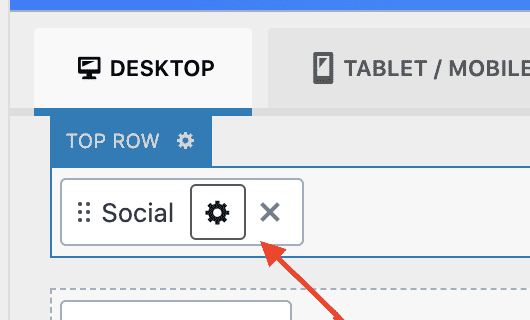
You can customize the links by clicking on the Settings icon, as shown here:
From there, you can customize the styling of your icons and choose whether or not you want to show the icon label.
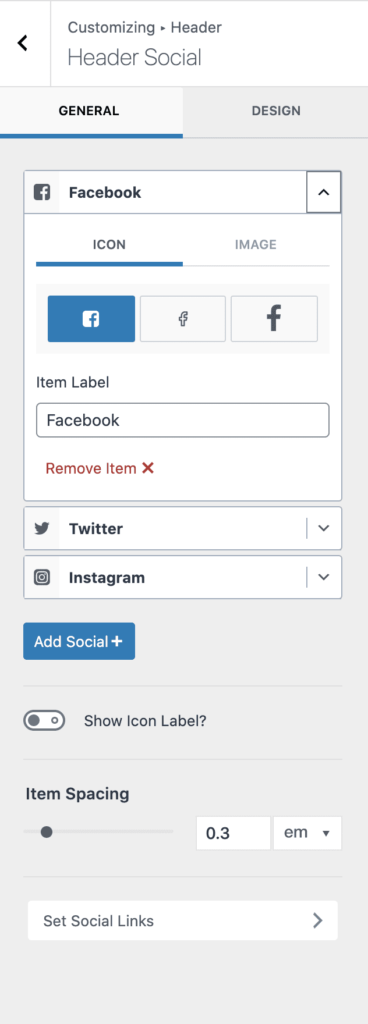
List of available social media icons you can add:
- 500PX
- Amazon
- Anchor
- Apple Podcast
- Bandcamp
- Behance
- Bluesky
- Bookbub
- Custom 1
- Custom 2
- Custom 3
- Discord
- Dribbble
- Facebook Group
- Flickr
- Fstoppers
- Github
- Goodreads
- Google Reviews
- Imgur
- IMDB
- Line
- Mastodon
- Medium
- Mewe
- Parler
- Patreon
- Phone
- Quora
- Ravelry
- Rumble
- RSS
- Snapchat
- Soundcloud
- Spotify
- Steam
- Strava
- Telegram
- Threads
- Tiktok
- Trip Advisor
- Tumbler
- Twitch
- Vero
- Vimeo
- VK
- WordPress
- X
- Yelp
- Youtube
Filed under
Header
Was this page helpful?
Thanks for the feedback!