

Show Single Variations
How to Hide The Parent Product
Coming soon: Iconic Show Single Variations is becoming part of Kadence Shop Kit. You may see both names used while we update the product, documentation, and customer experience.
If you’re using Show Single Variations to display your product variations as single products, you might want to hide the parent variable product to make things less confusing for your customers.
If so, you can hide each individual parent product by taking the following steps:
- In your WordPress dashboard, go to Products > All Products and select the variable product you want to edit.
- At the top right of the edit product page, you’ll find the Publish section.
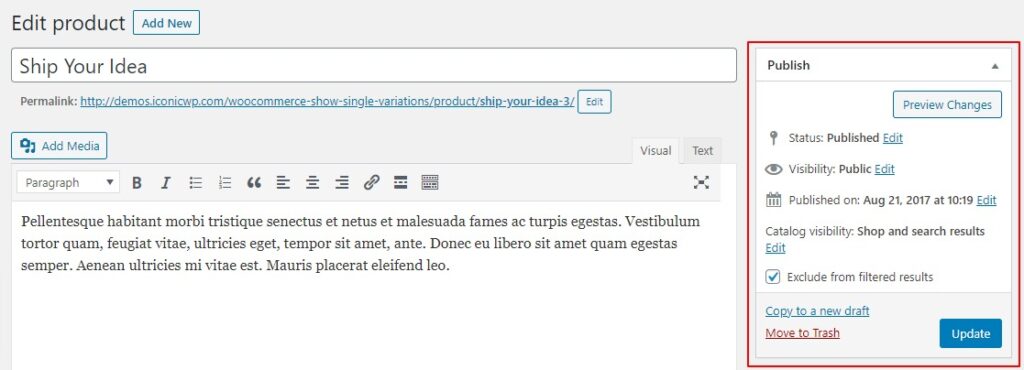
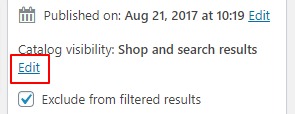
- Click the blue Edit text next to Catalog visibility: Shop and search result, this will bring up a few options.
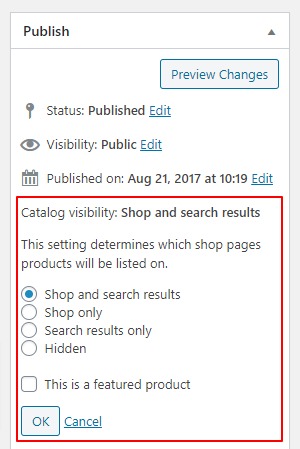
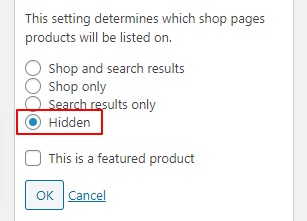
- Select the radio button/checkbox next to Hidden and then click the grey OK button.
- Then click the blue Update button in the Publish section that you’re in.
- Your variable parent product will now be hidden from the catalog. However, it still will be visible as a single product page.
Filed under
Uncategorized
Was this page helpful?
Thanks for the feedback!