How to change email account passwords in SiteWorx
- Log in to your SiteWorx account.
- If you do not know your password, click Forgot your password on the login page.
- From the SiteWorx main menu, click Hosting Features > Email > Mailboxes.
- In the Existing Email Boxes section, locate the relevant email address and click the corresponding Edit link.
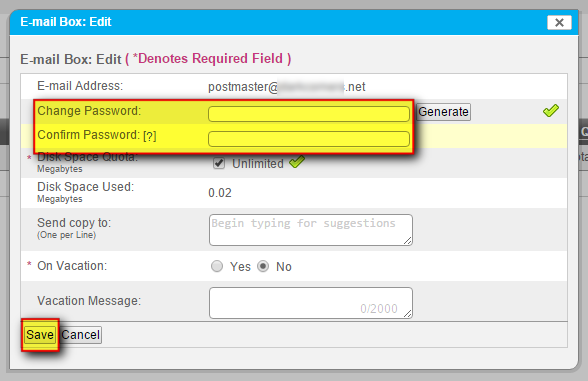
- In the Change Password field, enter your new password. In the Confirm Password field, duplicate your new password. Click Save when ready.