

Solid Central
Kadence Central Account Settings
Set your Kadence Central timezone and daily update reminder emails from Account Settings at central.kadencewp.com.
Coming soon: Solid Central is becoming Kadence Central. You may see both names used while we update the product, documentation, and customer experience.
Log in to Kadence Central: https://central.kadencewp.com
- Use the same credentials as your Software Portal account.
- If you still use https://central.solidwp.com from an old bookmark, switch to central.kadencewp.com for accurate connection status.
Related: How to Set Up and Use Central · Tips for troubleshooting Kadence Central
Kadence Central (formerly Solid Central) keeps account settings separate from WordPress site settings. Use this page to set dashboard preferences such as your timezone and email reminders. Subscription billing, license downloads, and most password changes for unified accounts are handled in the Software Portal, not on this screen.
Open Kadence Central account settings
To access the Solid Central Account Settings:
- Log in at https://central.kadencewp.com.
- In the top-right corner, open the menu next to your username.
- Choose Settings.
You land on the Kadence Central Account Settings page.
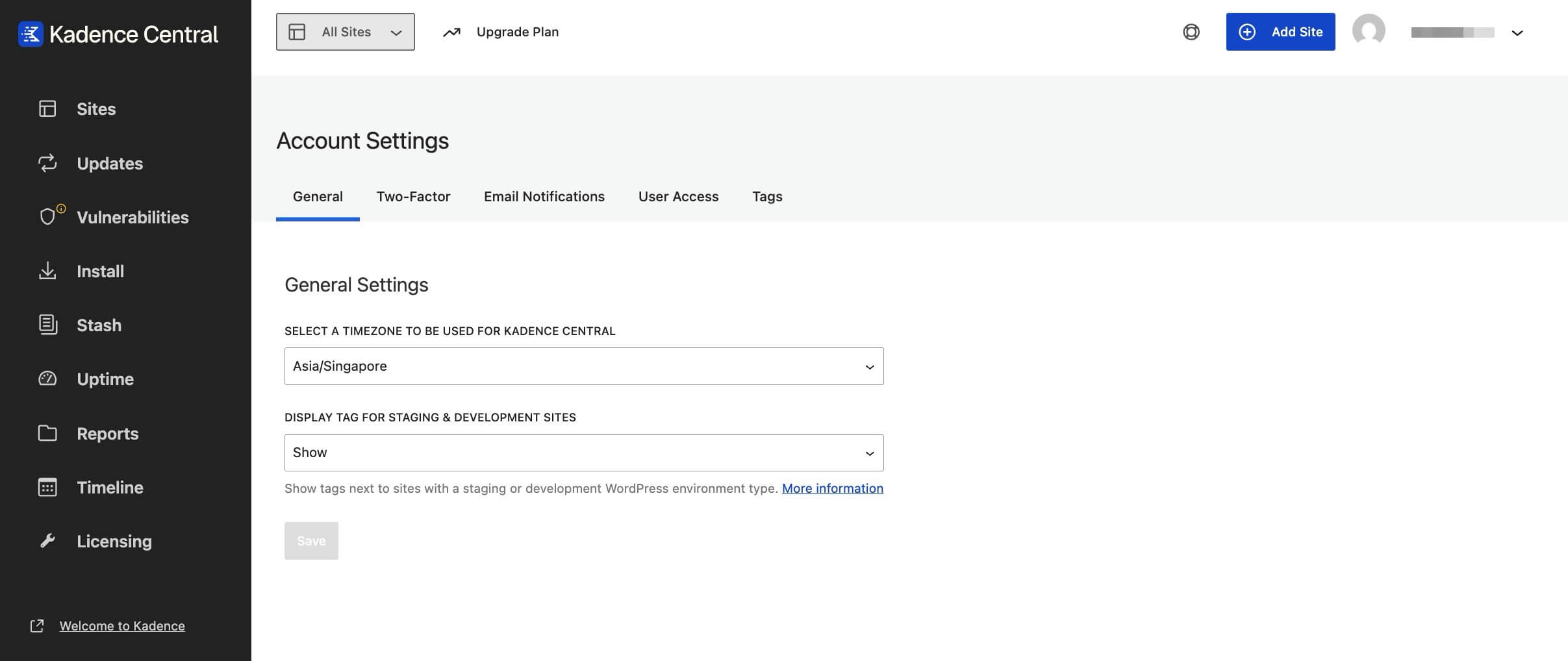
General tab: timezone
On the General tab, choose your timezone.
Kadence Central uses this timezone when it displays dates and times in the dashboard (for example, report timing and other time-based information tied to your account). Pick the timezone you use for day-to-day work so scheduled and historical times match what you expect.
Email notifications tab
On the Email Notifications tab, you can enable a daily reminder email.
When enabled, Kadence Central can notify you when updates are available across your connected sites so you can keep WordPress core, themes, and plugins on current, supported versions.
This reminder is account-level. It is not the same as per-site uptime alerts or custom Managing Reports schedules; those are configured elsewhere in Kadence Central when you use reporting features.
What you manage elsewhere
| Need | Where |
|---|---|
| Add or reconnect sites | Kadence Central Sites screen – See How to Set Up and Use Central |
| Plugin zip downloads, subscriptions, unified license keys | Liquid Web Software Portal |
| Legacy SolidWP username/password licensing (unmigrated accounts) | WordPress Settings → SolidWP Licensing on the site; portal may still be my.solidwp.com until migration completes |
| Connection errors, Application Passwords | Tips for troubleshooting Kadence Central What is an Application Password? |
Where to get help
If settings save correctly but sites still misbehave (disconnects, missing updates, wrong times on reports), include your Site ID and screenshots when you contact support. See Retrieving Your Site ID in Tips for troubleshooting Kadence Central.