

Give
Customizing Upsell Markup
Developers and those familiar with PHP and WordPress templating can harness that power to customize the markup of the Donation Upsells add-on. This document explains the process in detail.
Developers and those familiar with PHP and WordPress templating can harness that power to customize the markup of the Donation Upsells add-on. This document explains the process in detail.
Available Templates
There are two templates available for customizing within the Donation Upsells add-on:
- donation-wrapper.php — includes the code that wraps donation lists on the checkout or cart within WooCommerce.
- donation-single.php — includes the code that renders the donation form option with the toggle header.
You can find these existing templates within the plugin’s file structure at /Give-Donation-Upsells-WooCommerce/templates/.
How to Override the Default Template
In order to customize the templates in a way that won’t be erased on a plugin update, copy the entire template files into a directory within your active theme named (exactly) /give-woocommerce/
For example, to override the donation-single template,
find the file at wp-content/plugins/give-donation-upsells-woocommerce/templates/donation-single.php
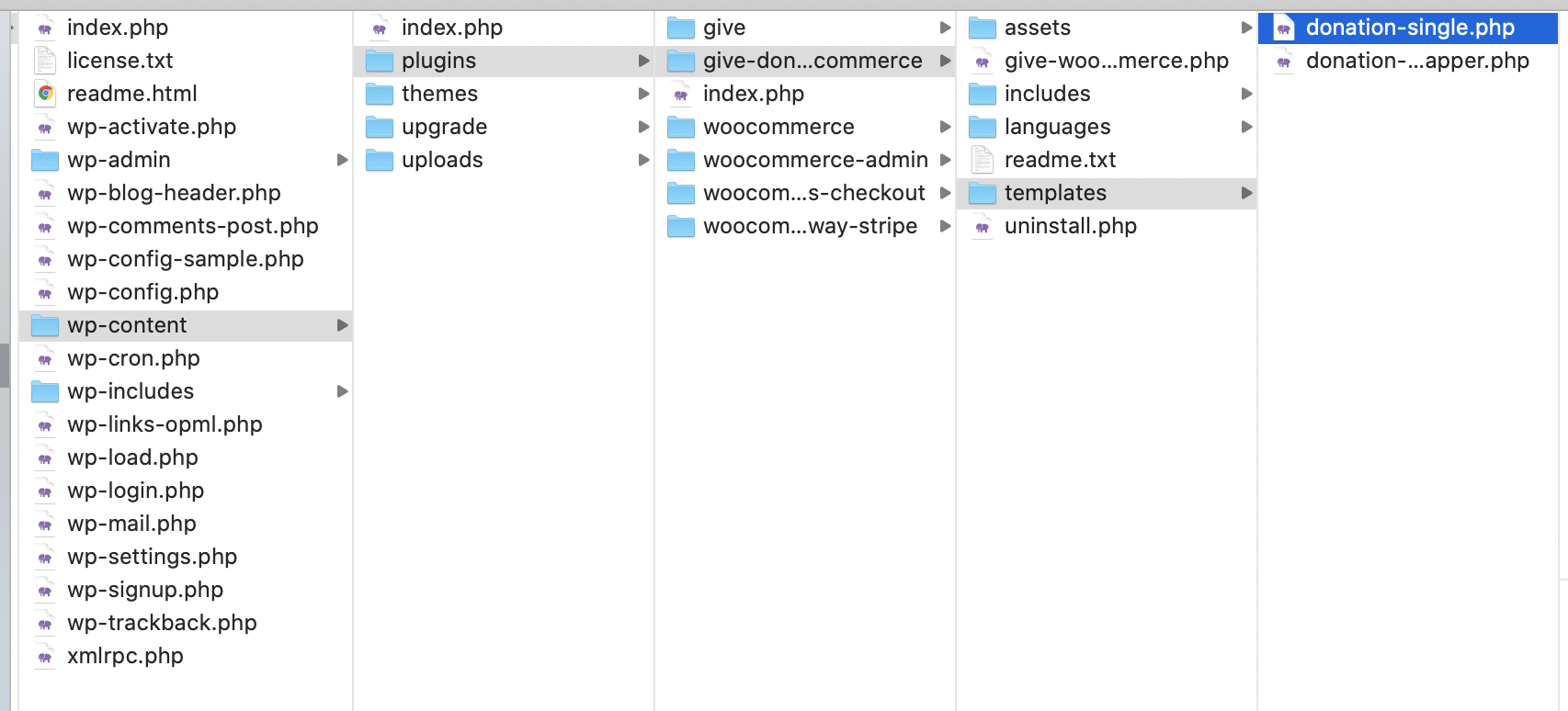
Copy that to
wp-content/themes/yourtheme/give-woocommerce/donation-single.php.
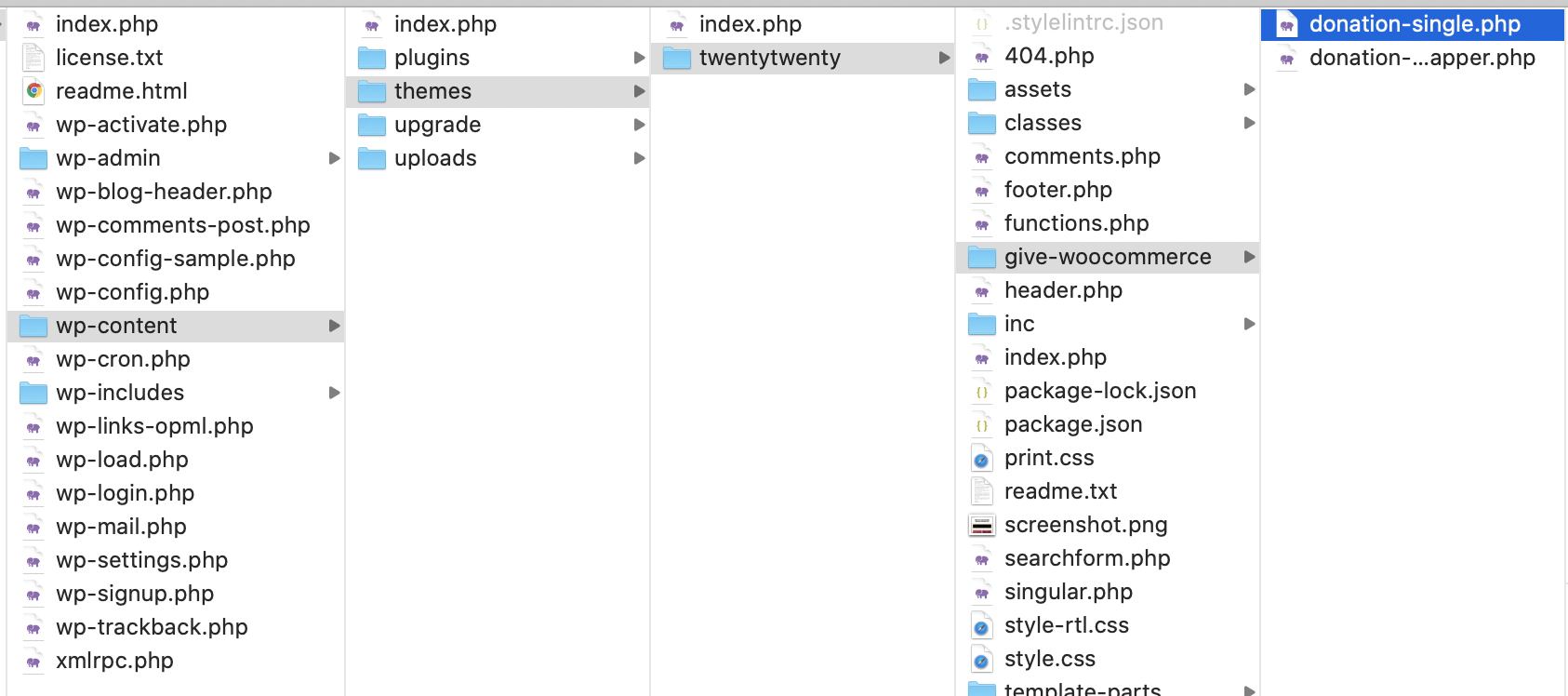
That file (and any edits) will now be the one controlling the display of the template.
Happy templating!