

LearnDash
Instructor Dashboard Menu
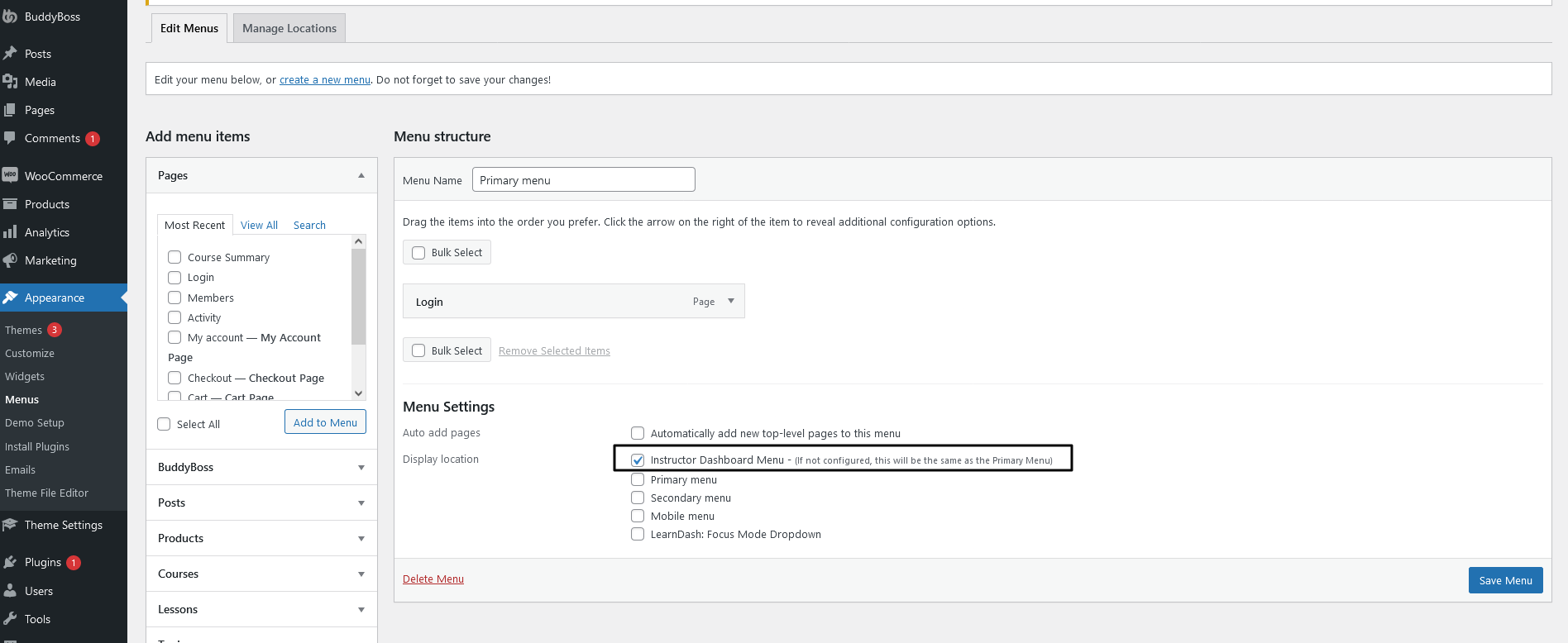
The Instructor Dashboard has a top menu similar to the primary menu displayed on the front end of the website. But you may wish to display a different top menu for the instructors on the Instructor Dashboard menu. You can enable different menus by using the Instructor Dashboard Menu setting under the Appearances Menu section as shown below.
NOTE: A feature was included in the Instructor Role update v4.2.1 where the Instructor Dashboard Menu will default to the Primary Menu of your site. This is to make sure the Instructor can still navigate to the other pages of the site from within their dashboard.
To revert back to an older menu or create an entirely new menu for your Instructor Dashboard, go to Appearance > Menus > Create New Menu, add the menu items you wish to show on the Instructor Dashboard and then select the display location as Instructor Dashboard Menu as shown in the screenshot above.