

LearnDash
How do I remove the ‘Take This Course’ button?
- Navigate to LEARNDASH LMS > COURSES
- Click on the course you’d like to hide the button for
- Click the Settings tab
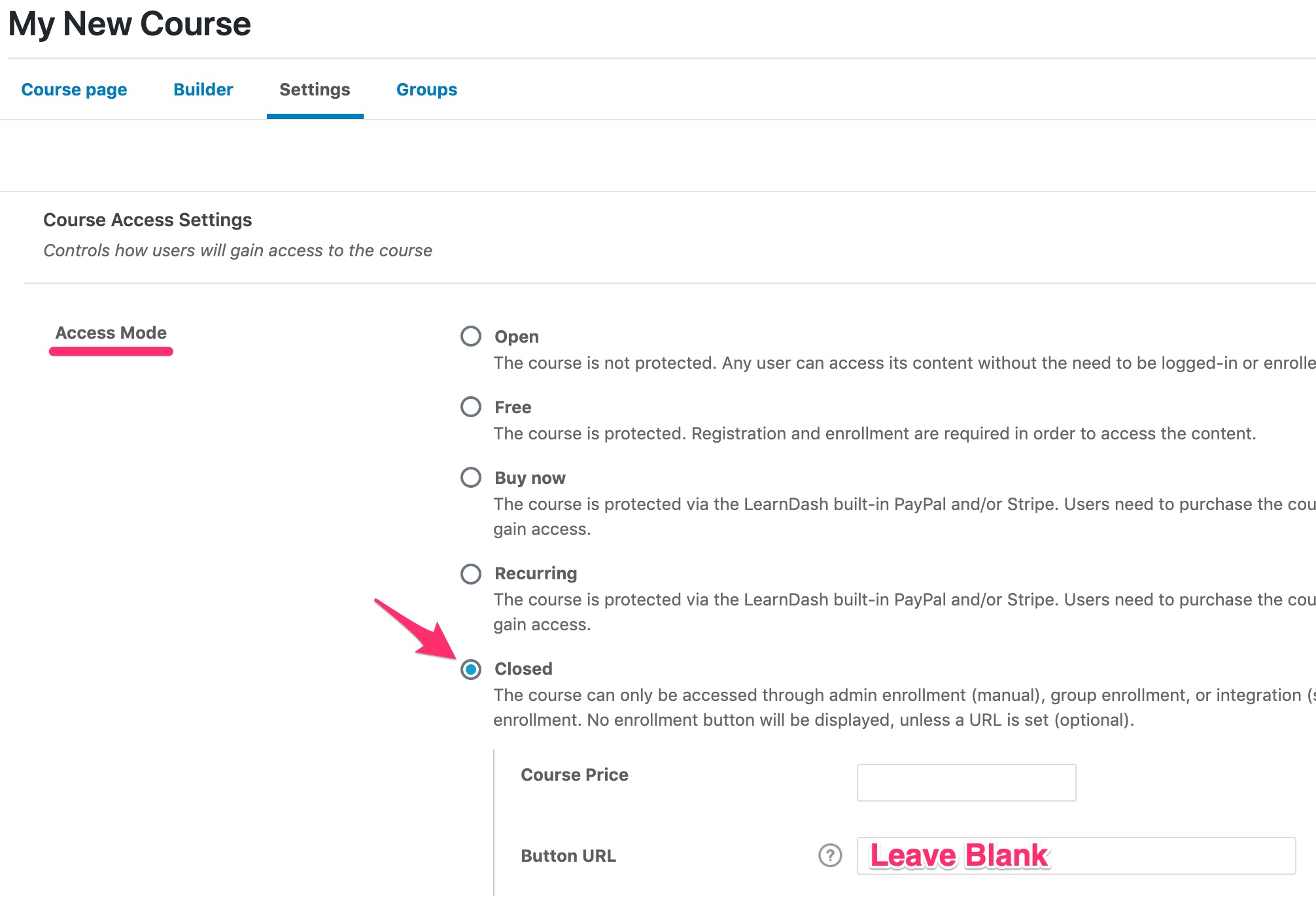
- Under “Course Access Settings,” set the Access Modeto Closedand leave the Button URL field blank
Filed under
FAQs
Was this page helpful?
Thanks for the feedback!