

LearnDash
Understanding LearnDash Topics
What Are LearnDash Topics?
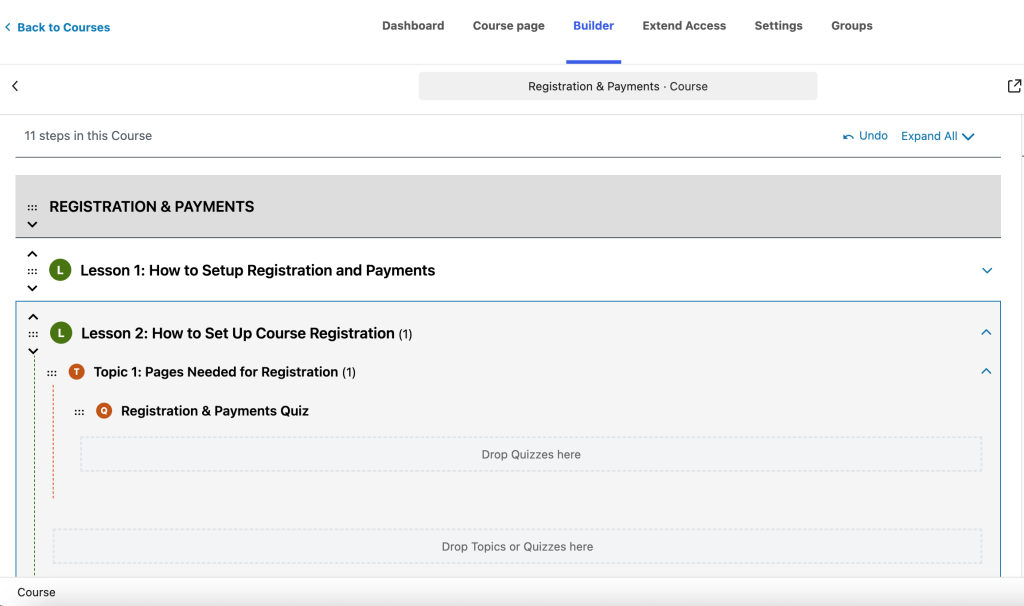
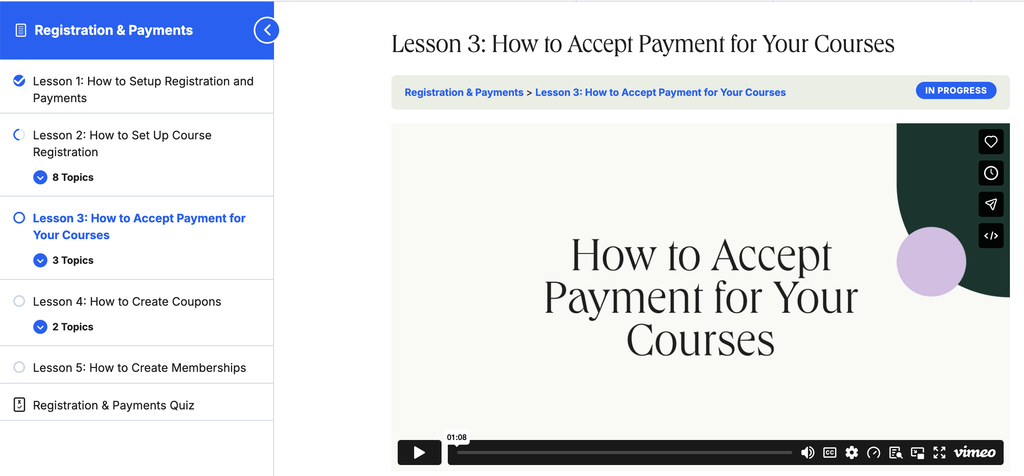
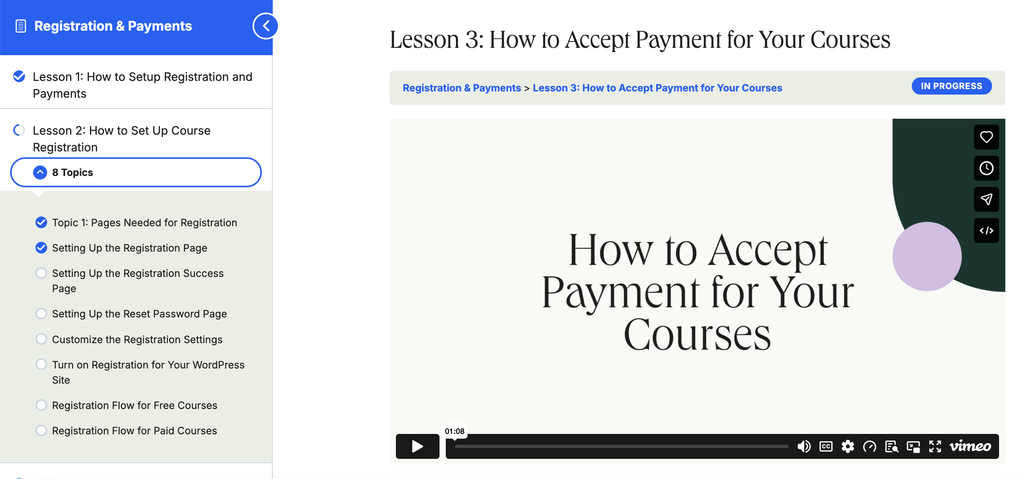
LearnDash Topics allow you to subdivide your lessons into smaller, bite-sized sub-steps—creating an extra layer of hierarchy inside your courses. In short, they let you break complex modules down into focused, digestible steps without cluttering your main course syllabus.
While some course admins only create Section Headings and add Lessons to each section, topics give you one additional level of organization whenever a single lesson covers multiple distinct concepts. Just like lessons, topics support rich course material—including text, images, video, audio, PDFs, presentation slides, and third-party interactive embeds.
NOTE: Topics must be added to lessons. You cannot have a course with only topics. If your course only requires one level of hierarchy, simply use lessons instead.
Why Use LearnDash Topics?
When a single lesson is packed with multiple videos, tutorials, and exercises, a flat course outline can quickly feel overwhelming for students. LearnDash Topics give you granular control over how your curriculum is structured and paced:
- Break Up Long Lessons & Solve Information Overload: Packing an entire module into a single long page forces learners to scroll endlessly and lose their place. With LearnDash Topics, you can split dense lessons into concise, single-concept sub-steps that are easy to digest and resume anytime.
- Organize Multi-Step Modules Cleanly: Group related sub-steps neatly under a single parent lesson so students can expand or collapse module details at a glance—keeping your top-level course outline clean and easy to navigate.
- Increase Completion & Learner Momentum: Bite-sized topics give students frequent “wins” as they click “Mark Complete” on each sub-step, keeping engagement high and reducing drop-off on complex subjects.
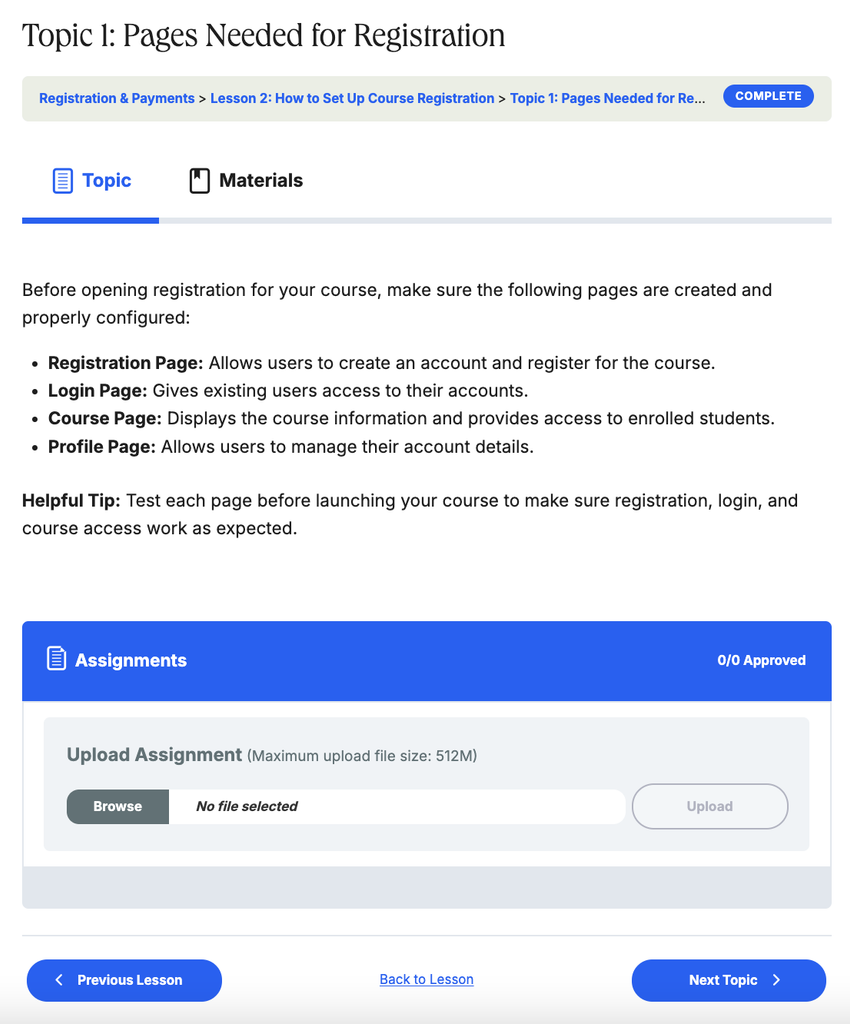
- Attach Targeted Quizzes & Assignments to Specific Sub-Steps: Instead of waiting until the end of a massive module to check comprehension, attach dedicated quizzes, assignment uploads, timers, or video progression rules directly to individual topics.
Lessons vs. Topics
In LearnDash, there are many similarities between lessons and topics, but a few important distinctions. If you are unsure about the difference between lessons vs. topics, let’s clear things up.
- Lessons are listed above topics in the course hierarchy
- You can have a course with only lessons, but you cannot have a course with only topics. Topics can only be added beneath lessons.
- You can offer sample lessons but not sample topics
- Topics can be drip-fed the same way as lessons.
- Topics also inherit the schedule of their parent lesson. For example, if a lesson is scheduled for a specific release date, all associated topics will be released on that same date.
Sections are very different from lessons and topics. To learn more, see our article explaining Course sections.
Here’s a visual overview of the lessons and topics compared.
| Title | Lessons | Topics |
|---|---|---|
| Add Content Text, images, video, links, PDFs, slides & more | YES | YES |
| Video Progression | YES | YES |
| Add Materials | YES | YES |
| Upload Assignments | YES | YES |
| Force Minimum Required Time | YES | YES |
| Sample Content | YES | NO |
| Schedule for Future Access Topics inherit the parent lesson’s schedule | YES | YES |
Common Use Cases
- Use Case 1: Teaching a Multi-Part Software or Technical Tutorial
- Scenario: You are building a module on “Store Configuration” that covers domain setup, payment gateways, and shipping rates. Putting all three tutorials on one Lesson page makes it overly long, while making each step its own Lesson clutters your main course outline.
- Solution: Create a single parent Lesson (“Store Configuration”) and add three nested Topics—one for each setup task—so students can work through and check off each step individually.
- Use Case 2: Checking Comprehension After Each Sub-Skill
- Scenario: Your training lesson covers three distinct concepts, and you want learners to practice and verify each concept immediately after studying it, rather than waiting for a single final test at the end of the module.
- Solution: Break the lesson into three Topics and attach a short, targeted quiz or assignment to each topic, so learners must demonstrate understanding before advancing to the next sub-step.
Pro Tip: Drip-Feed Individual Topics Inside an Unlocked Lesson
Combine LearnDash Topics with Drip Scheduling to pace learners within a single module. Leave your parent Lesson unlocked on day one so students can review the module overview and introductory video right away, then schedule follow-up Topics to unlock sequentially over the week—keeping your cohort moving together without locking them out of the module entirely.
Ready to Get Started?
To learn how to configure and build your topics, explore our setup guides below:
- Global Topic Settings: Settings applied to all topics on your site
- Display & Content Settings: Add materials, configure video settings, control assignment uploads and topic timers
- Topic Page Content: Add text and images, insert videos, and embed interactive content.