

LearnDash
Introducing LearnDash Lessons
What Are LearnDash Lessons?
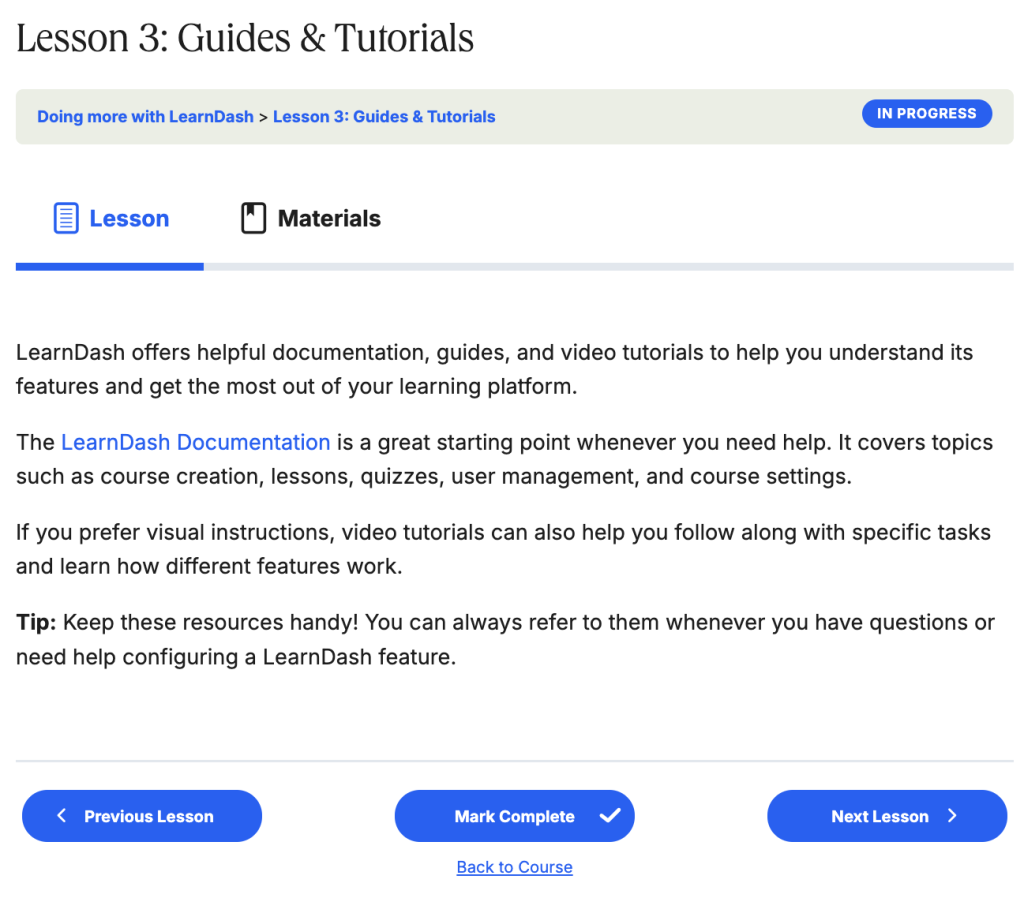
LearnDash Lessons allow you to deliver structured, interactive course material—combining text, video, audio, downloadable files, and assignments—directly inside your WordPress site. In short, they are the core building blocks where your actual teaching happens.
Sitting directly beneath Courses in the LearnDash hierarchy, lessons break your curriculum into manageable modules that can be further divided into Topics or paired with Quizzes for knowledge checks.
Why Use LearnDash Lessons?
Standard WordPress pages and posts are built for publishing static content, not guiding students through a structured learning journey. LearnDash Lessons give you purpose-built LMS tools to pace, engage, and track your learners:
- Solve Information Overload & Track Progress: Long, unstructured pages overwhelm students and make it hard to pick up where they left off. With LearnDash Lessons, you divide complex subjects into clear modules and require learners to click “Mark Complete,” finish a video, or submit an assignment before advancing.
- Save Time and Effort: Eliminate manual administrative work by automating content delivery and homework collection. Schedule lessons to drip automatically after enrollment and collect student files directly on the lesson page instead of juggling email attachments.
- Increase Engagement and Course Conversions: Turn hesitant visitors into enrolled students by unlocking free sample lessons as course previews, and keep active learners focused with built-in lesson timers and video progression rules.
- Unlock Rich, Distraction-Free Learning Experiences: Combine text, images, video, audio, PDFs, and third-party interactive embeds (such as H5P, Vimeo, or SoundCloud) alongside a dedicated Materials tab—keeping supplementary resources organized without cluttering the main lesson content.
Common Use Cases
- Use Case 1: Offering Free Course Previews to Boost Enrollments
- Scenario: You want prospective students to experience your teaching style and course quality before committing to a purchase.
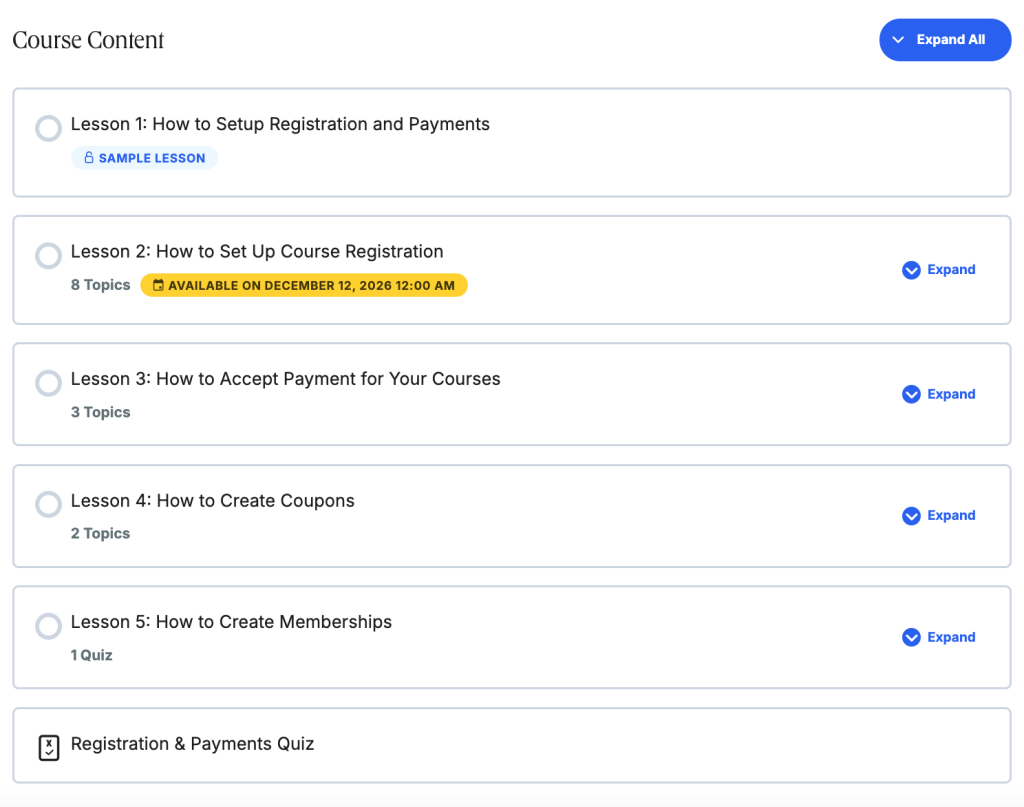
- Solution: Mark one or two introductory lessons as Sample Lessons so visitors can view them without registering or paying, creating a low-friction preview funnel.
- Use Case 2: Running Cohort-Based or Weekly Paced Courses
- Scenario: You want to prevent students from rushing through your entire curriculum upon enrollment—or keep a live cohort moving through the material together week by week.
- Solution: Use drip scheduling to release lessons automatically on a rolling schedule (for example, 7 days after enrollment) or unlock them on specific calendar dates.
- Use Case 3: Requiring Hands-On Practice Before Advancing
- Scenario: Your course teaches an applied skill—such as writing, coding, or design—where simply reading a page is not enough to demonstrate mastery.
- Solution: Enable Assignment Uploads and a Lesson Timer so learners must spend adequate time reviewing the material and submit their completed work for approval before moving forward.
Pro Tip: Turn a Sample Lesson into an Interactive Lead Magnet
Combine a free Sample Lesson with a dedicated Materials tab and embedded video to create a self-paced “mini-course” preview right inside your paid course. Visitors get to experience your actual LearnDash learning environment and download a starter worksheet before enrolling—building trust and increasing course sign-ups.
Ready to Get Started?
To learn how to configure and build your lessons, explore our setup guides below:
- Global Lesson Settings – Settings applied to all lessons on your site
- Configure Lesson Access – Sample lessons, drip content, and schedule lesson availability
- Display and Content Settings – Add materials, configure video settings, control assignment uploads & lesson timers
- Create Lesson Content – Add text and images, insert videos, embed interactive content, etc.
Related Course Structure Features
If you want to organize or assess your course content even further, explore these related features:
- Topics – Subdivide lengthy lessons into smaller, granular sub-steps
- Course Sections – Group related lessons together under organized syllabus headings
- Quizzes – Assign graded assessments or knowledge checks directly to a lesson