

LearnDash
Getting Started with Groups Plus
Installation
You can download the Groups Plus Add-on plugin from your Liquid Web Software Account. The download and installation steps are available in this guide.
Enable Group Hierarchy
For Groups Plus to work, you must enable the Group Hierarchy setting. If you do not already have this feature enabled, a warning message will appear at the top of your page.

To enable Group Hierarchy:
- Click on the Click here to enable link in the warning message at the top of the page.
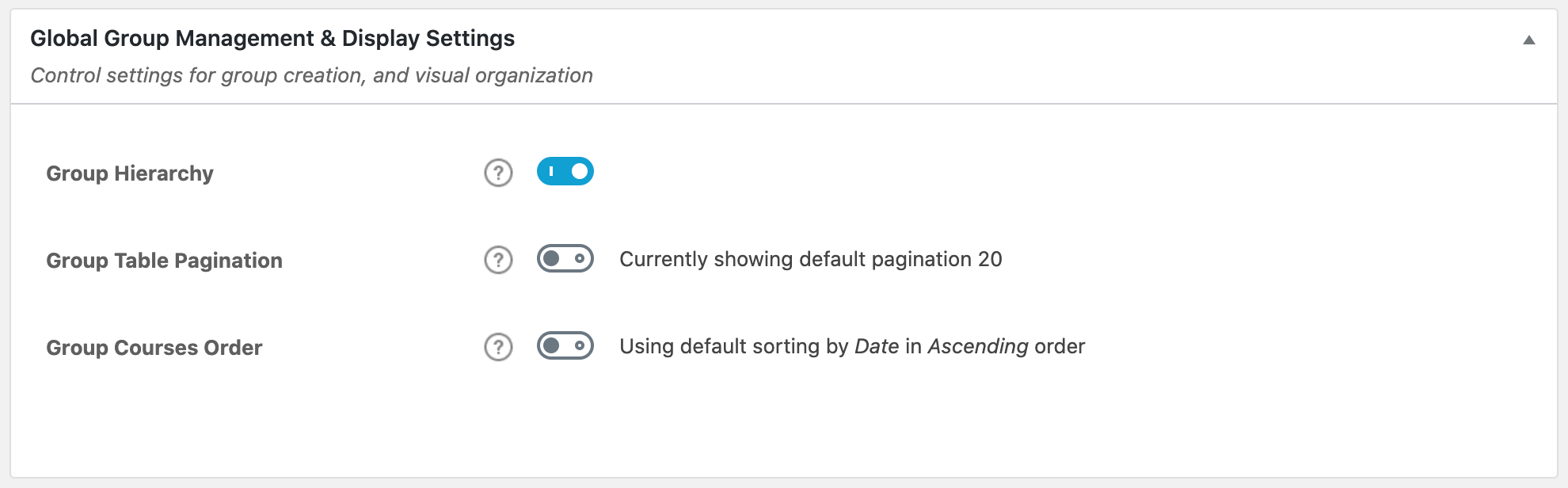
- Scroll down to Global Group Management and Display Settings.
- Toggle on the Group Hierarchy setting.
If you don’t see the warning message:
- Navigate to LearnDash LMS > Groups > Settings
- Scroll down to Global Group Management and Display Settings.
- Toggle on the Group Heirarchy setting.
Filed under
Groups Plus Add-On
Was this page helpful?
Thanks for the feedback!