

LearnDash
LearnDash Cloud
LearnDash Cloud is a fully-hosted WordPress solution that comes with LearnDash pre-installed and configured.
You manage your courses, learners, and website content from the WordPress dashboard. Your LearnDash account provides access to your hosted site details, domain settings, and subscription information.
What’s Included
- WordPress hosting and LearnDash: Build and manage a LearnDash website without arranging separate hosting or manually installing LearnDash.
- Course creation and delivery: Organize courses into lessons and topics, add quizzes and assignments, issue certificates, and track learner progress.
- Site design: Use the Design Wizard to choose a starter template, fonts, and colors, then customize your pages in WordPress.
- Reporting: Use LearnDash reports and the included ProPanel to review learner activity and course progress.
- Custom domains: Start with a mylearndash.com address and connect your own domain when you are ready.
- Daily backups: LearnDash Cloud automatically backs up your site each day. Contact LearnDash Support if you need a backup restored.
Available hosting resources depend on your subscription. Check your site’s subscription details in your LearnDash account for the plan associated with that site.
Managing Your Cloud Site
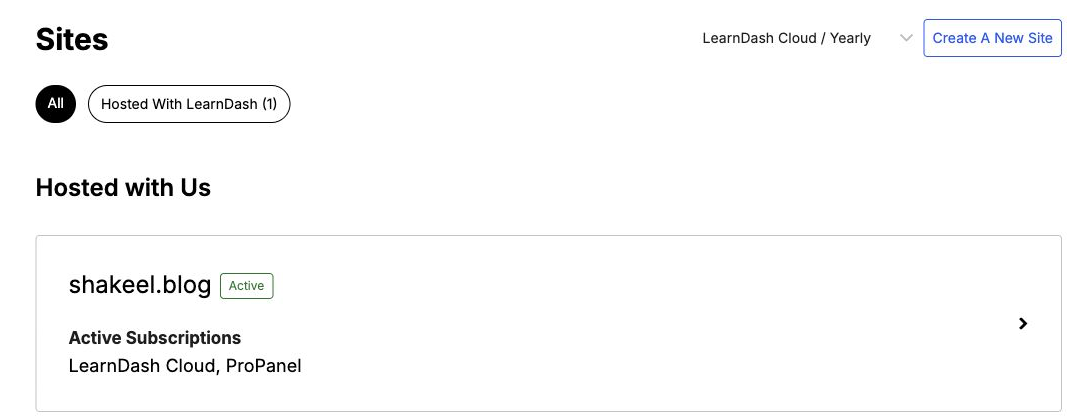
Sign in to your LearnDash account and select Sites. Find your hosted site, then click the arrow next to it to open its details. From there, you can review the site information, subscription, and domain settings.
Use your site’s WordPress administrator credentials to sign in to its dashboard and manage courses and content. These are separate from your LearnDash account login.
Cloud Site Guides
Use the following guides for setup, ongoing maintenance, or moving your site to another host.
Accessing & Launching Your Site
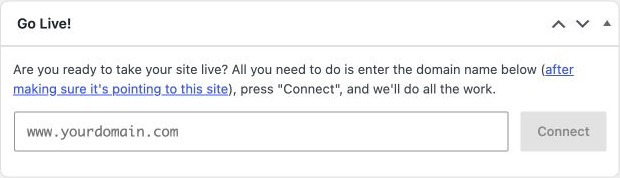
When you are ready to use a custom domain, configure its DNS before completing the connection. The Go Live widget is available in the WordPress dashboard. Follow the guides in this section before selecting Connect.
- Logging In to Your LearnDash Cloud Site — access your WordPress dashboard.
- How to Use the Design Wizard — choose a starting design for your website.
- Using the Go Live Widget — complete the custom domain connection from WordPress.
- How to Connect a Domain — connect a domain through your LearnDash account.
- Setting Up Your DNS to Use Your Own Domain Name — point your domain to your Cloud site.
Maintenance & Support
- How to Back Up Your Site — learn about automatic backups, additional backup options, and restoring your site.
- LearnDash Cloud Video Management Best Practices — plan where to host course videos and how to embed them.
- How to Get Support in LearnDash Cloud — find the available ways to contact support.
Migrating Off Cloud
- Moving Away from LearnDash Cloud — back up and migrate your website before canceling your subscription.