

LearnDash
Introducing The Events Calendar Integration for LearnDash
Beyond Online Courses: Create Engaging Learning Experiences with The Events Calendar and LearnDash
Learning doesn’t have to end with an online lesson. Imagine giving your students a place to put their knowledge into practice through live workshops, interactive webinars, professional training sessions, and other learning experiences.
With the Events Calendar Integration for LearnDash, you can bring your online courses and scheduled events together. Connect events with LearnDash courses or groups, create additional opportunities to promote your programs, and give learners a more engaging way to interact with your content.
Whether you’re running an online academy, organizing professional training, or building a community around your courses, this integration helps you connect digital learning with real-world experiences.
Watch the video below to see how you can create real-world connections for your online courses with The Events Calendar.
Why Use The Events Calendar Integration?
Your courses can do more than deliver lessons. By combining LearnDash with The Events Calendar, you can create learning opportunities that bring students together, encourage participation, and give people more reasons to enroll.
Turn Events into Another Course Enrollment Channel
Imagine hosting a free introductory webinar where potential students can experience your teaching before deciding to enroll in a full course.
With The Events Calendar, you can promote webinars, workshops, seminars, and other activities. The integration lets you associate events with specific LearnDash courses or groups. You can also configure supported ticket products to provide access to associated learning content through compatible enrollment workflows.
This gives prospective students another way to discover your courses while creating opportunities to turn event participants into learners.
Connect Self-Paced Learning with Live Experiences
Online lessons offer flexibility, but some subjects are easier to understand when learners can interact, ask questions, and put their knowledge into practice.
Combine LearnDash courses with scheduled events to create a more complete learning journey. Students might complete introductory lessons before attending a live workshop, join an instructor-led webinar to explore a topic further, or participate in scheduled training sessions alongside their online coursework.
Instead of treating events and courses as separate activities, you can make them complementary parts of the same learning experience.
Create Exclusive Learning Experiences for Your Students
Give enrolled learners something more than access to course materials.
Associate events with specific LearnDash courses or groups to connect learning programs with relevant activities. You could offer private workshops, members-only training sessions, or webinars designed specifically for a particular group of students.
With Events Calendar Pro and its Virtual Events functionality, you can also restrict access to virtual event details, such as livestream embeds and meeting links, to eligible course enrollees or group members.
This makes it possible to offer learning experiences that feel more personal, relevant, and exclusive.
How the Integration Works
The integration connects your events and LearnDash learning environment, giving you more ways to organize and deliver learning opportunities.
- Create an Event: Publish a webinar, workshop, seminar, or other scheduled activity using The Events Calendar.
- Connect Learning Content: Associate the event with one or more LearnDash courses or groups. You can also configure supported ticket products to provide access to specific courses or groups through compatible enrollment workflows.
- Bring Learners into the Experience: Manage event details and registrations through The Events Calendar and connect eligible attendees with relevant LearnDash learning materials.
The exact enrollment process depends on your ticketing setup and the integrations you use. For example, supported WooCommerce ticket products can be configured as part of a WooCommerce-based LearnDash enrollment workflow.
Prerequisites & Required Stack
Depending on your desired setup and the functionality you plan to use, you may need the following plugins and add-ons installed and activated on your site:
- The Events Calendar (free core)
- Event Tickets (free core) and Event Tickets Plus
- WooCommerce (handles ticket-to-course mapping)
- LearnDash LMS
- The Events Calendar and LearnDash integration add-on
- (Optional) Events Calendar Pro (if you wish to embed Zoom or meeting links directly on the event page)
Common Use Cases
Here are a few ways educators, training organizations, and online course creators can use LearnDash and The Events Calendar together.
1. Turn Free Webinars into Course Enrollment Opportunities
Imagine this: Someone discovers your online academy but isn’t ready to purchase a full course. Instead of asking them to make an upfront commitment, you invite them to attend a free introductory webinar to experience your teaching style, explore a topic, and see what your academy offers.
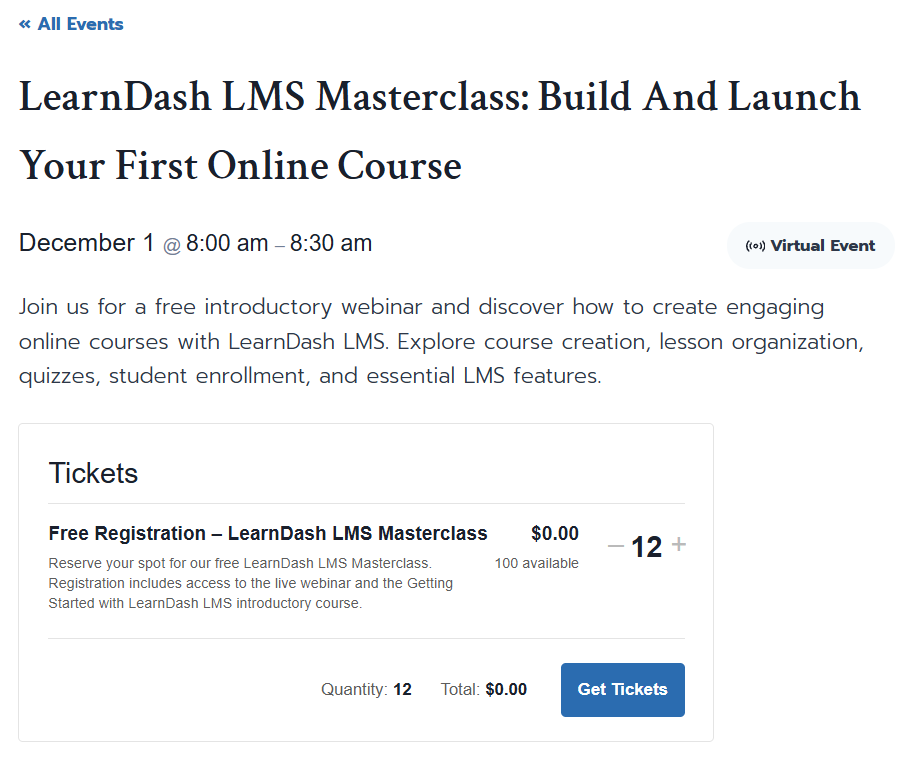
How to make it happen: Create a free webinar using The Events Calendar and associate it with a beginner-friendly LearnDash course. You can use the course to provide introductory lessons and additional learning materials that complement the webinar.
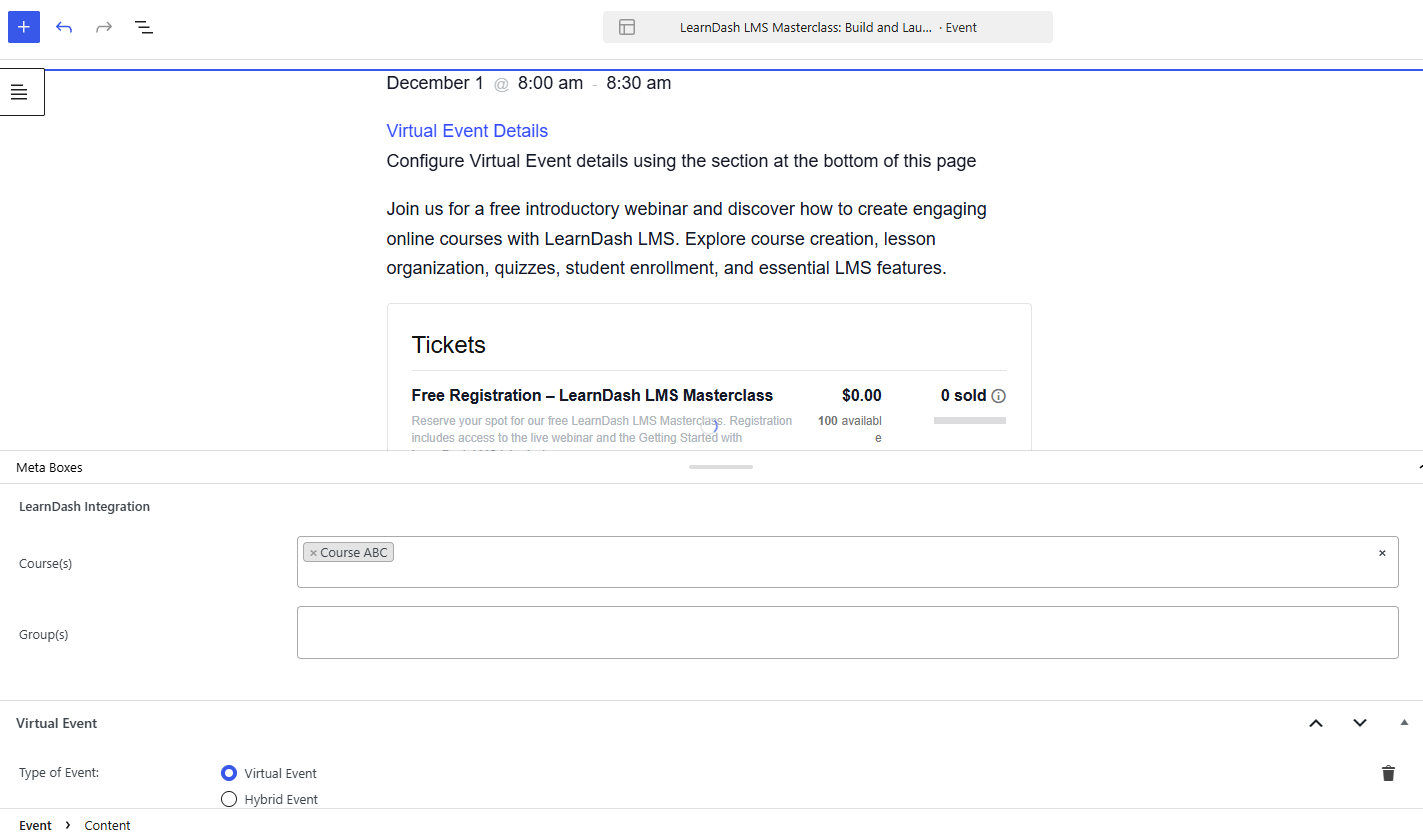
After the event, introduce participants to your more comprehensive paid programs.
What you gain: An effective way to attract potential students, demonstrate the value of your courses, and build interest before asking learners to make a larger commitment.
2. Organize Cohort-Based Bootcamps and Group Training
Imagine this: You’re running a six-week coding bootcamp. Students need more than a collection of recorded lessons. They need a schedule, opportunities to learn together, instructor-led sessions, and access to course materials throughout the program.
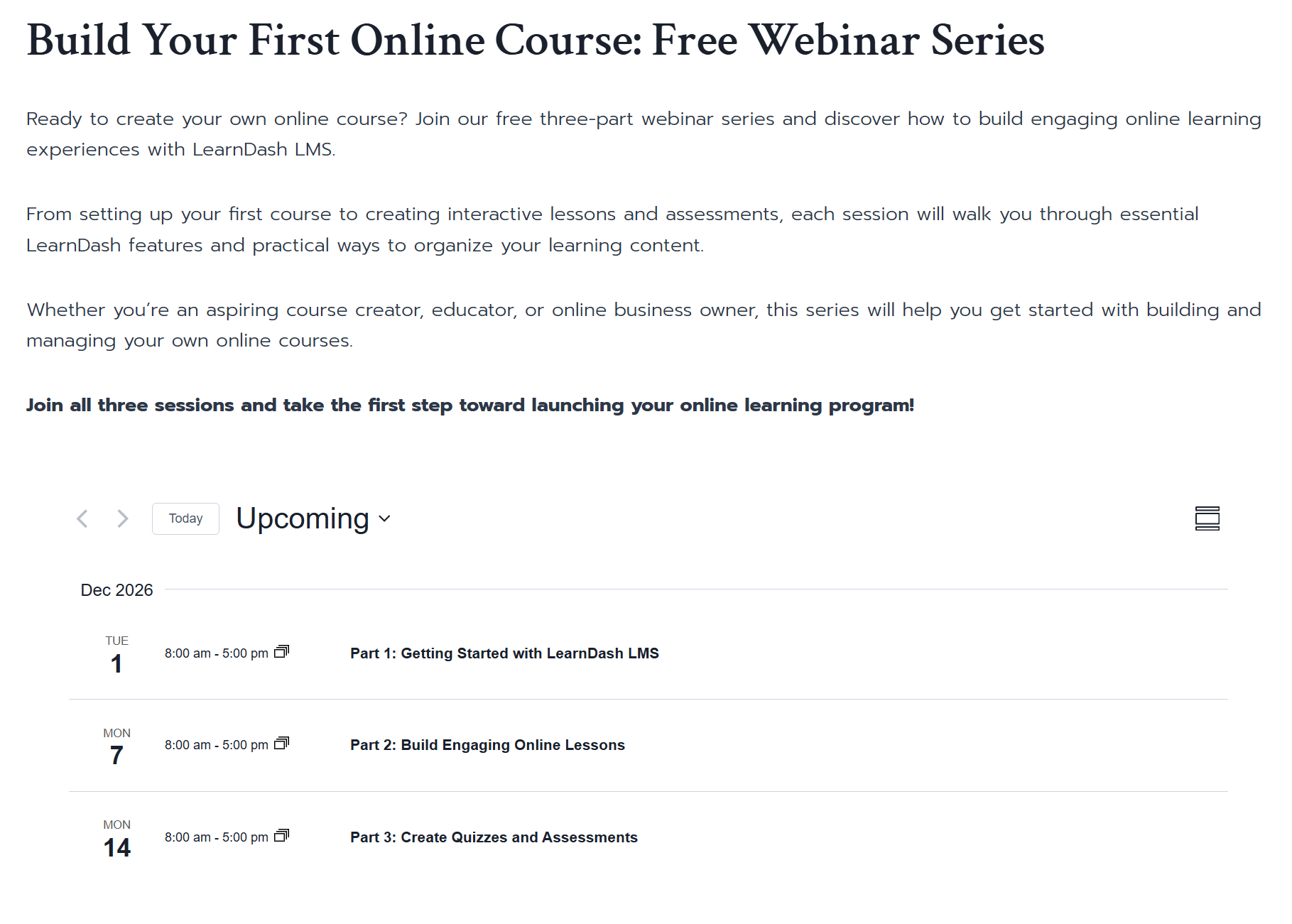
How to make it happen: Create events for each scheduled training session and associate them with a dedicated LearnDash Course/Group. Connect the relevant courses to the group so participants can access their learning materials alongside their scheduled activities.
You can organize your cohort around a series of events, such as weekly live classes, project presentations, mentoring sessions, or group workshops.
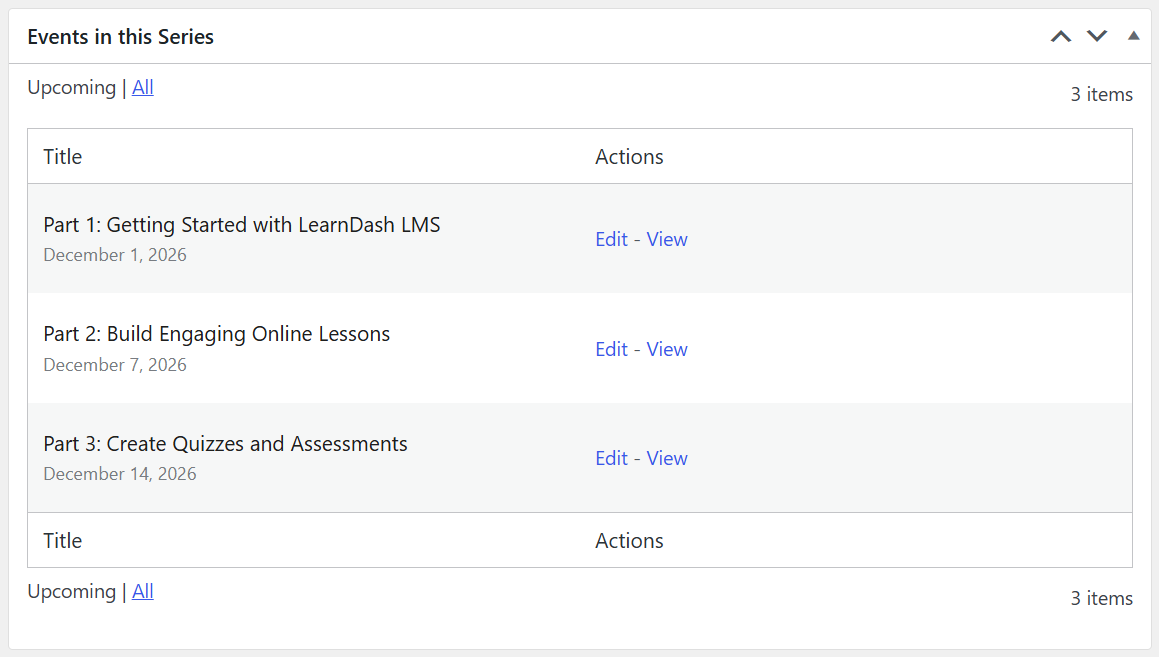
What you gain: A more structured training experience that combines the flexibility of online learning with the engagement of scheduled group activities. You can also use LearnDash Groups to organize learners into cohorts and manage their access to relevant courses.
3. Combine Workshops with Preparatory Lessons
Imagine this: You’re organizing a hands-on workshop or professional certification training. Rather than spending the entire session teaching basic concepts, you want participants to arrive prepared and ready to apply what they’ve learned.
How to make it happen: Create a LearnDash course containing introductory lessons, reading materials, and preparation activities. Associate the course with the corresponding workshop event so learners can connect their online preparation with the scheduled session.
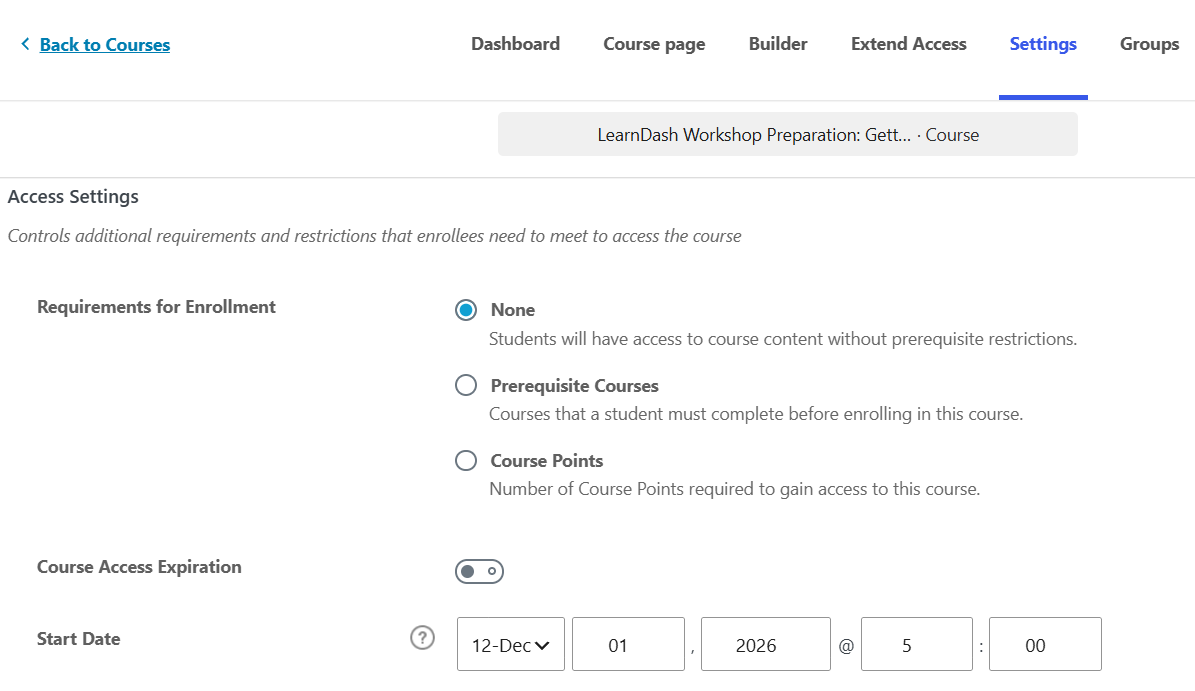
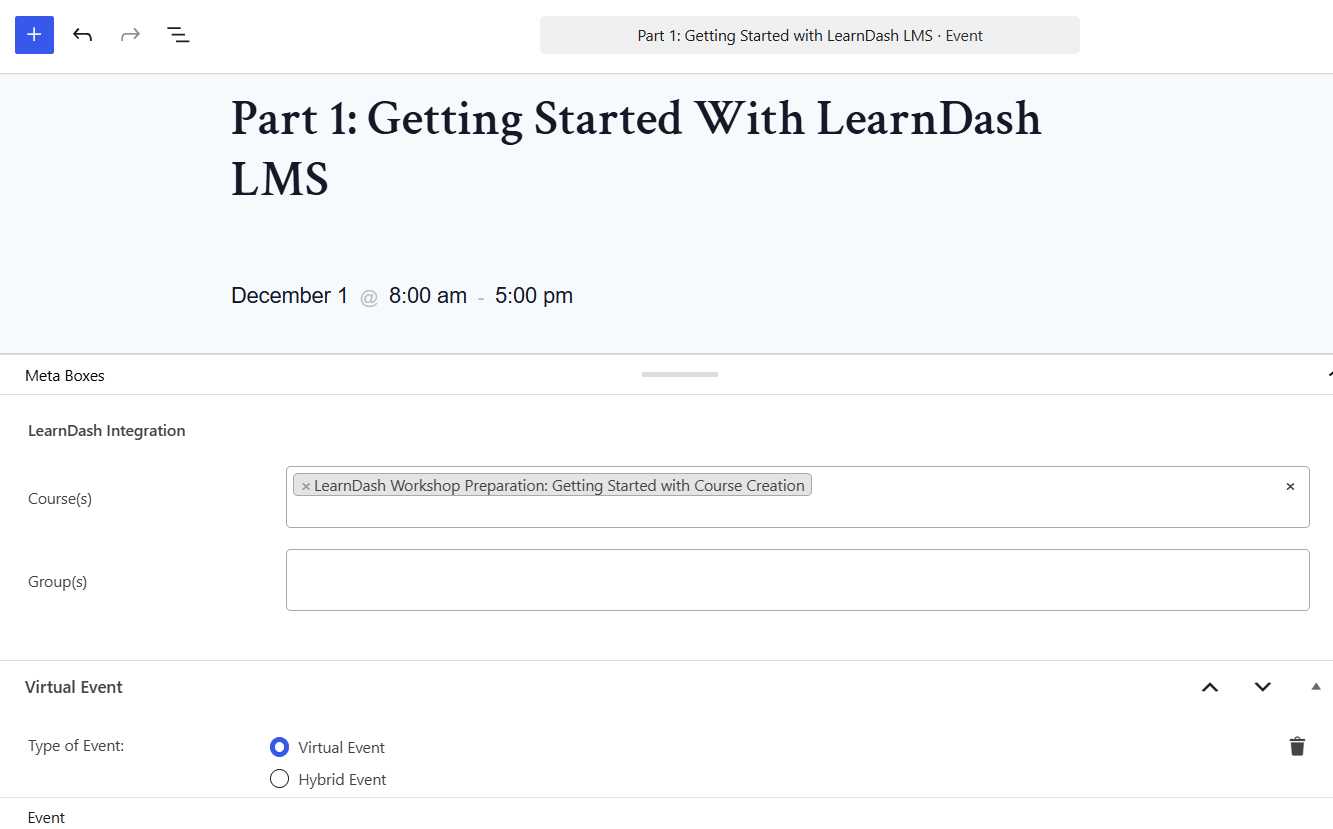
For virtual workshops, Events Calendar Pro’s Virtual Events functionality can help restrict meeting details, such as livestream embeds and meeting links, to eligible course enrollees or group members.
What you gain: More productive workshops, better-prepared participants, and a learning experience that continues beyond the scheduled event.
Pro Tip: Create an On-Ramp to Your Flagship Course
Not every potential student is ready to purchase a comprehensive program immediately. Give them a reason to take the first step.
Consider offering a free or low-cost webinar connected to a short introductory LearnDash course. Use the event to introduce a topic, let participants experience your teaching, and preview the value they can get from your full program.
Once they’ve experienced what your academy offers, introduce them to your flagship course or a more advanced learning path.
This creates a natural journey from discovering your brand to engaging with your content and eventually becoming a paying student.
Ready to Get Started?
Your online courses can serve as the foundation for a broader learning ecosystem. Bring scheduled events and online learning together to create more engaging experiences for your students.
Follow our guide to Setting Up The Events Calendar Integration for LearnDash to get started.