Give
Stripe
The Give Recurring Donations add-on has support for the Stripe Payment Gateway (both Stripe free and Stripe Premium). This allows you to accept recurring donations directly on your website via Credit Card, via Plaid, and via Apple Pay/Google Pay.
Configure the Webhook
Recurring donations with Stripe (both free and Premium versions of the Give Stripe integration) rely on the webhook being configured correctly at Stripe. For detailed instructions on that, see that section of the Stripe (free) documentation on connecting your Stripe account to Give.
In addition to the webhook helping the initial donation to be marked as complete, it is also critical for two other functionalities specific to recurring.
Recording Renewal Donations
Without the webhook configured, there’s no way for your Give website to “hear from” Stripe that a renewal has taken place. The webhook alerts the site, and the recurring add-on uses that webhook data to add a renewal donation.
This information is also logged in the Give logs, so if you are not seeing renewals come in on Give’s side that are there on Stripe’s side, first check the logs at Donations > Tools > Logs to see if the webhook is sending data correctly.
Stopping limited renewals
If you’ve set a subscription to end after a certain number of renewals (a 12-month subscription, for example), the webhook configured at Stripe is a critical piece of the subscription actually being marked as completed and stopping charging the donor.
Without the webhook correctly configured at Stripe, donations on limited subscriptions will continue until manually cancelled either by a site admin or at the Stripe dashboard.
iDeal + Recurring
Currently, recurring donations do not work with iDEAL
Apple Pay/Google Pay + Recurring
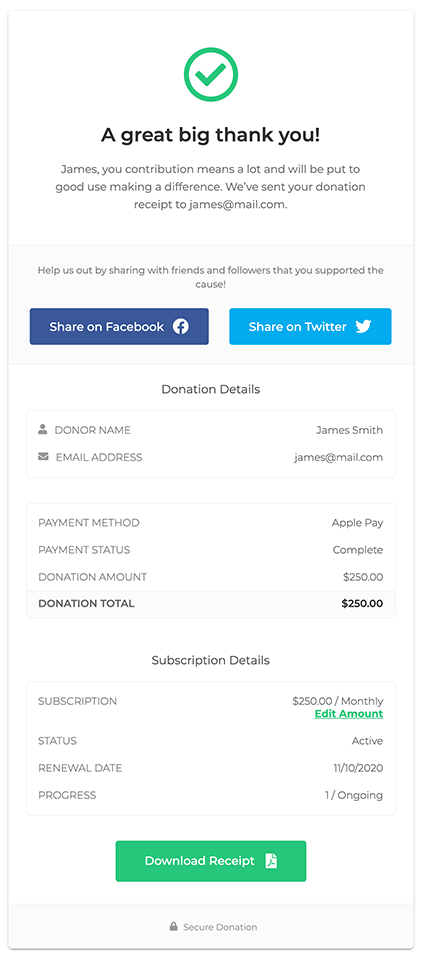
The Recurring Donations add-on for Give works alongside the Stripe Apple/Google Pay payments with no additional configuration.
In order to accept recurring donations with Stripe Apple/Google Pay, all you have to do is activate and configure both the Stripe add-on and the Recurring Donations add-on.
Stripe Apple/Google Pay works with all of the recurring periods supported by Give’s recurring add-on: daily, weekly, monthly, quarterly, and annually.
When donors create a recurring subscription on your Give site, it will show up in the Donor’s credit card balance.
Donors can cancel subscriptions from any page that has the [give_subscriptions] shortcode implemented. Donors are also able to change the amount of their subscription, as well as their credit card information.