

Restrict Content Pro
Exporting Members
Coming soon: Restrict Content Pro is becoming Kadence Memberships. You may see both names used while we update the product, documentation, and customer experience.
Restrict Content Pro members can easily be exported to a CSV file in Restrict > Tools > Export.
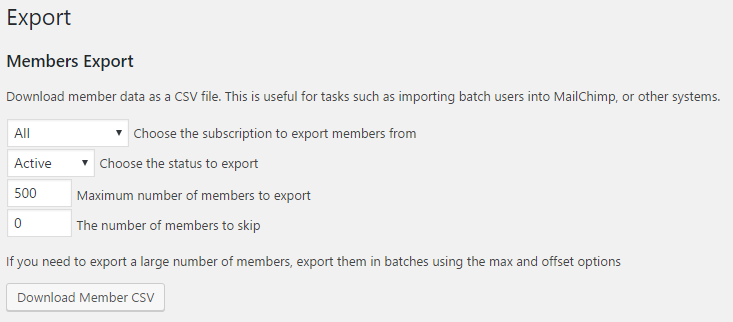
The CSV file will contain the following columns:
- User ID number
- User login
- User email
- First name
- Last name
- Subscription ID number
- Subscription key
- Expiration date
- Membership status (active/pending/expired/canceled/free)
- Discount code used
- Payment profile ID
- Recurring indicator (1 for recurring status, blank for not recurring)
If you need to export a large number of members then you may want to do so in batches using the “max” and “skip” options. For example:
- Perform one export with a maximum of 100 members and skip 0.
- Perform another export with a maximum of 100 members and skip 100. This skips the first 100 members that were exported in the last batch.
Have more questions? Submit a request
Filed under
Exporting/Importing Data
Was this page helpful?
Thanks for the feedback!